
Ads
A campaign
Campaign settings, ad sets with their location and budget, and the ads inside each.
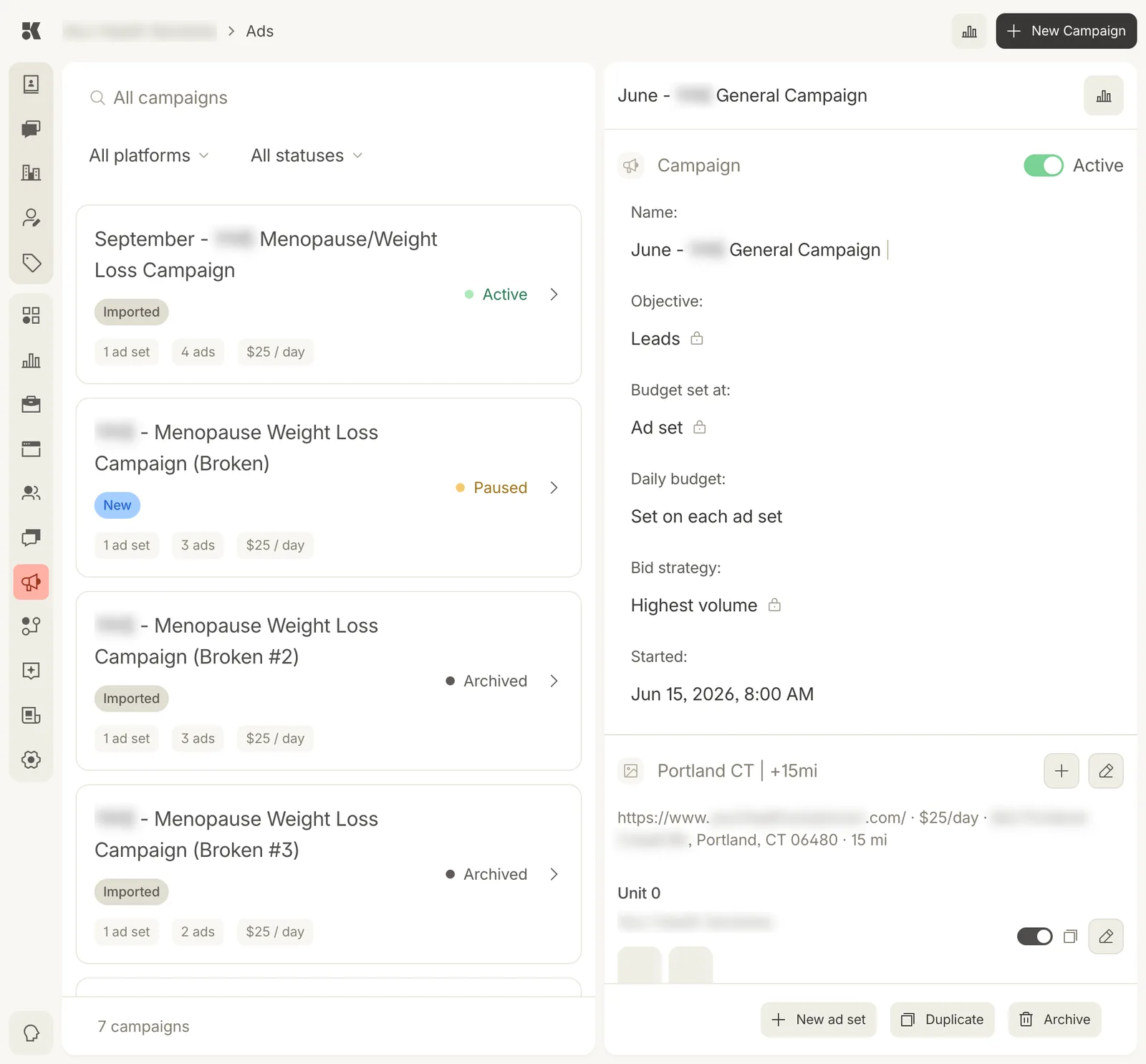
The campaign block, then one ad set with its units. Lock icons mark settings fixed by the platform.
The campaign block
- Active toggle: pause or resume the whole campaign.
- Name: editable inline.
- Objective: what the platform optimizes for, normally Leads.
- Budget set at: Campaign or Ad set.
- Daily budget: the number, or "Set on each ad set".
- Bid strategy: normally Highest volume.
- Started: launch time.
A lock icon beside a value means the ad platform does not allow it to change after launch.
Ad sets
Each ad set is an audience: a place and radius ("Portland CT | +15mi"), a landing URL, a daily budget. Edit with the pencil, add an ad with +.
Units
A unit is one ad: the creative, the copy, the call to action. The toggle turns it on or off; the copy icon duplicates it; the pencil edits it.
Actions
- New ad set: add another audience.
- Duplicate: copy the campaign as a Draft.
- Archive: stop and keep the figures.