
Connecting Meta
Creating an ad account for Keystone
Set up a dedicated Meta ad account and dataset (pixel) in Business Suite so campaigns and conversion tracking are cleanly separated.
We run your campaigns from an ad account dedicated to Keystone, with its own dataset for conversion tracking. Keeping it separate from any existing ad account makes reporting clean and means nothing we do touches campaigns you run yourself. If you already have an ad account you want us to use instead, tell your Growth Partner and skip to Connecting Meta Ads.
Throughout, replace LA Cupcakes in the examples with your business name.
Create the ad account
- Log in to Facebook with the same profile you registered as a developer.
- In the left menu click See more, then Meta Business Suite.
- Check that the correct business portfolio is selected at the top left.
- Open Settings, and under Accounts choose Ad accounts.
- Click Add, then Create a new ad account.
- Name it
[Your Business Name]_Keystone, for exampleLA Cupcakes_Keystone. Set the time zone and currency, then click Next. - Select My business and click Next.
- Tick the agreement box and click Create ad account.
- Set up payment information and click Done.
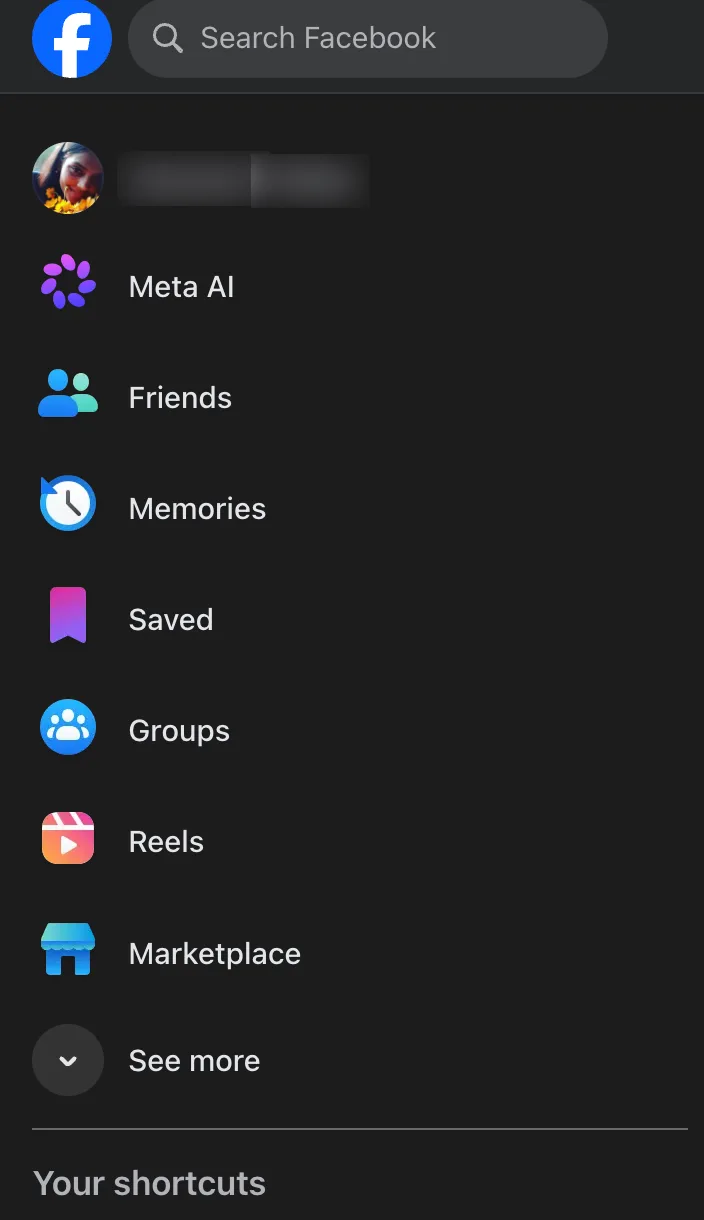
Step 2: See more.
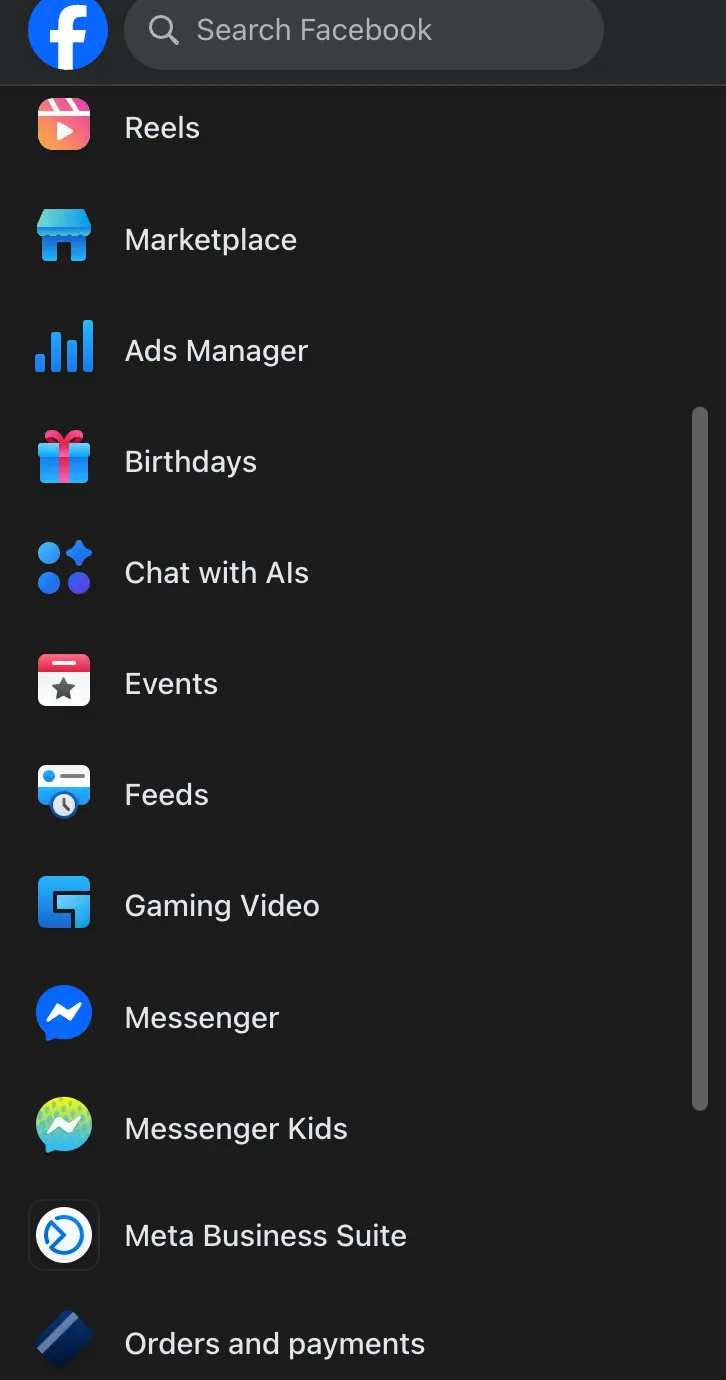
Step 2: Meta Business Suite.
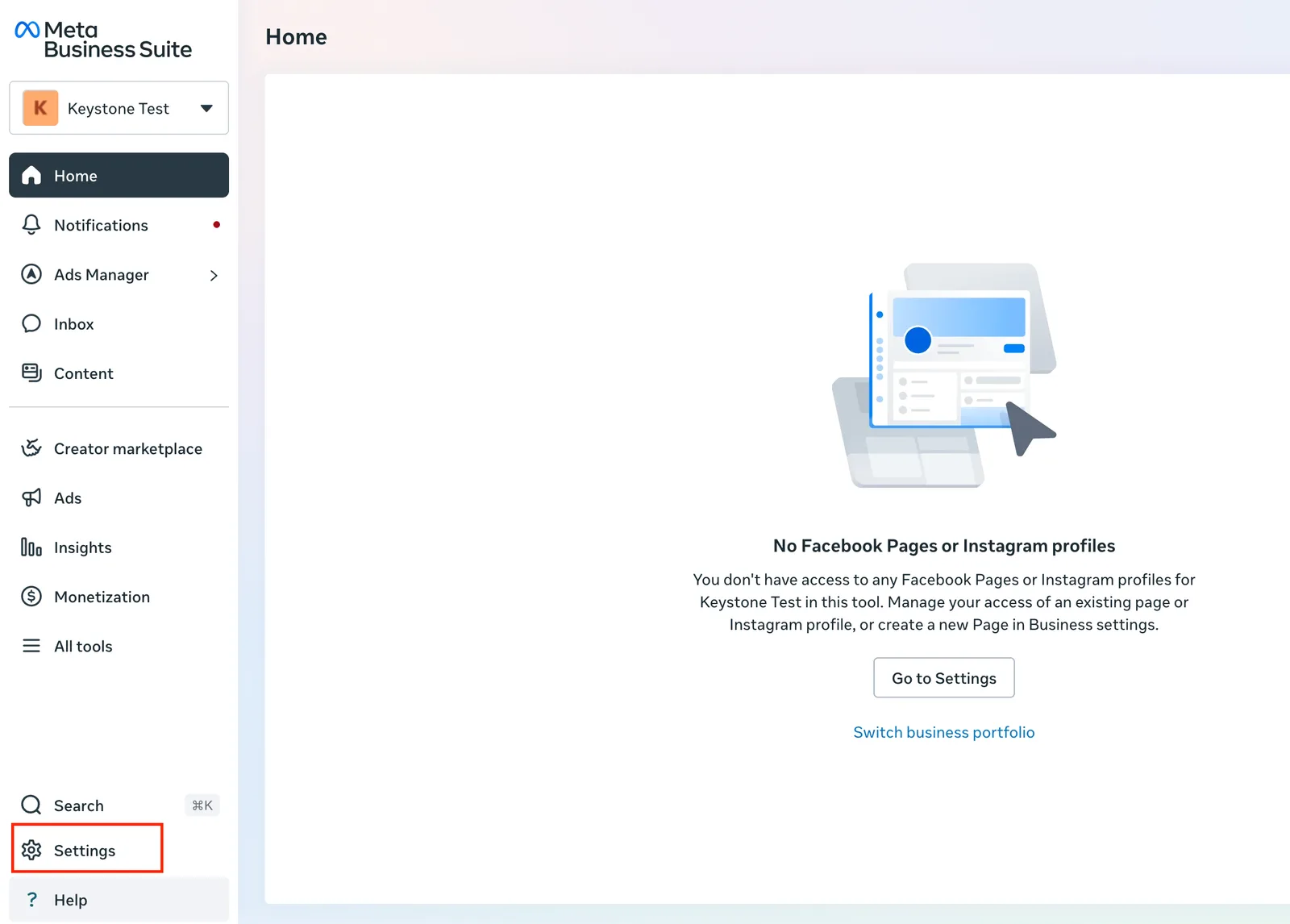
Steps 3 and 4: check the portfolio, then Settings.
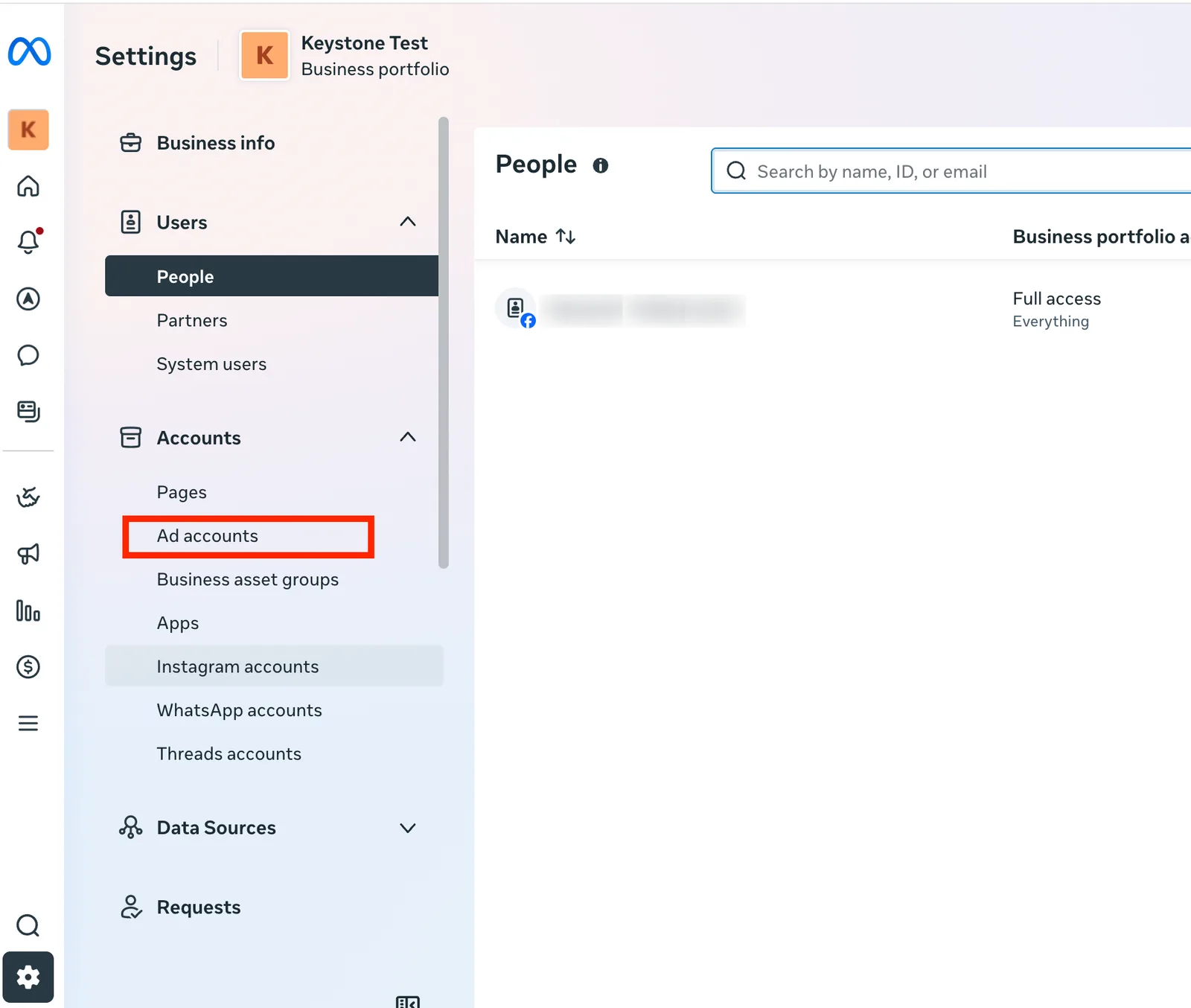
Step 4: Ad accounts.

Step 5: Add.
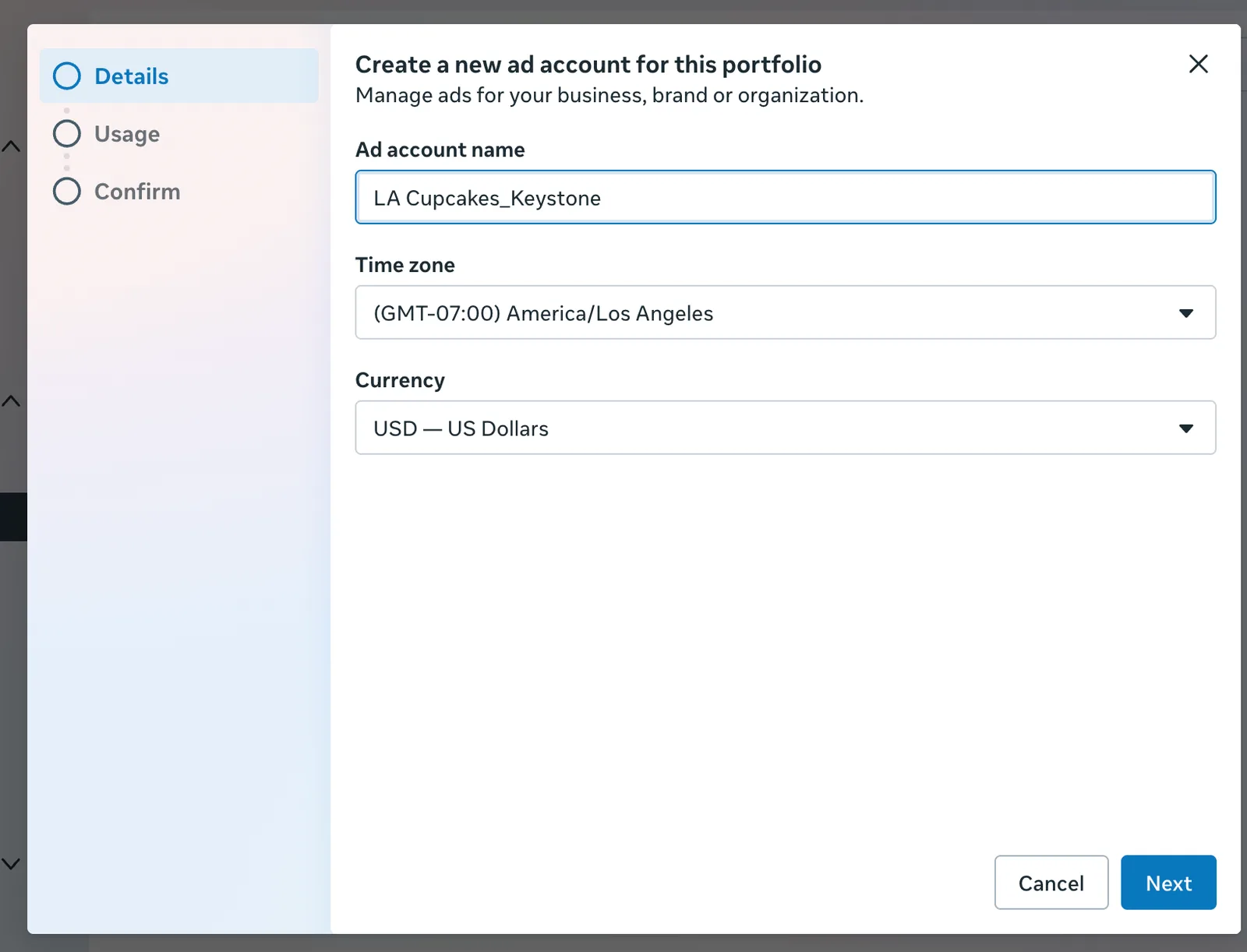
Step 6: name, time zone, currency.
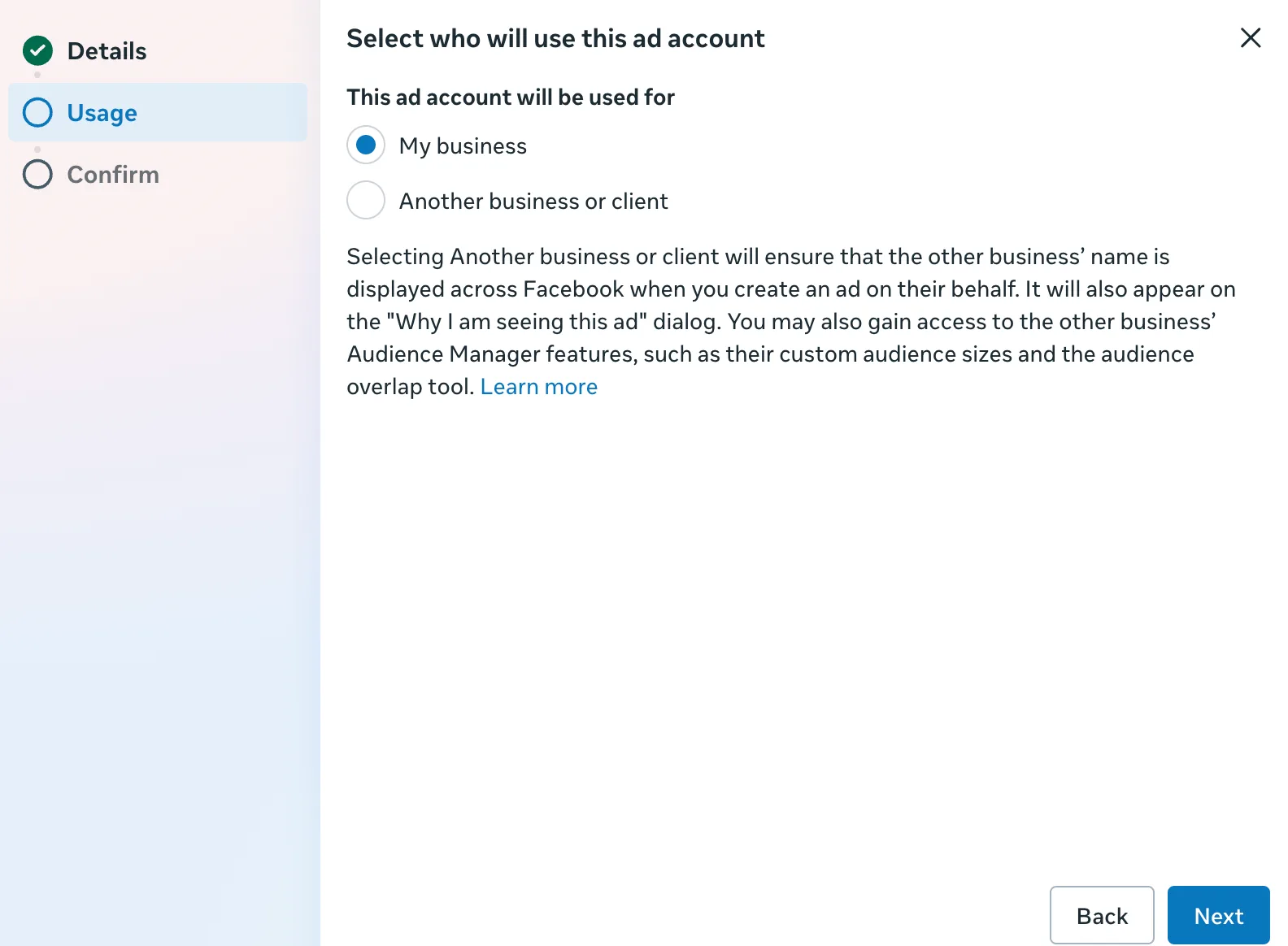
Step 7: My business.
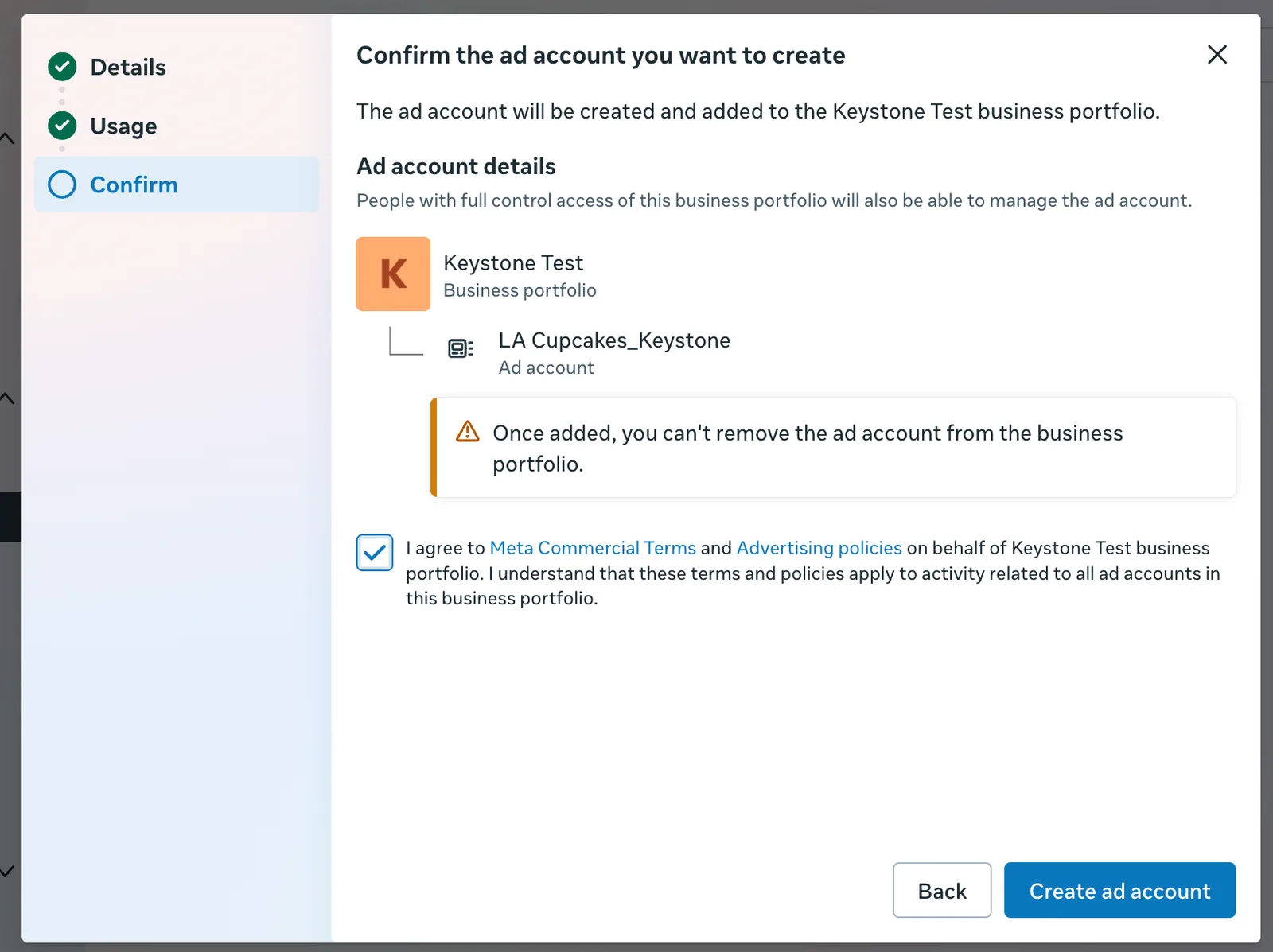
Step 8: Create ad account.
Create the dataset (pixel)
The dataset is what records visits, leads, and bookings from your website so campaigns can optimize for them.
- In Settings, click Data sources, then Datasets & pixels.
- Click Add.
- Name it
[Your Business Name]_Keystone_Data, for exampleLA Cupcakes_Keystone_Data. - Choose any categories that apply from the dropdown; if none do, leave it blank. Click Create.
- Choose the ad account you just created and click Next.
- On the new dataset, open the Connected assets tab and click Connect assets.
- Choose Other business assets, select the ad account you created, click Add, then Done.
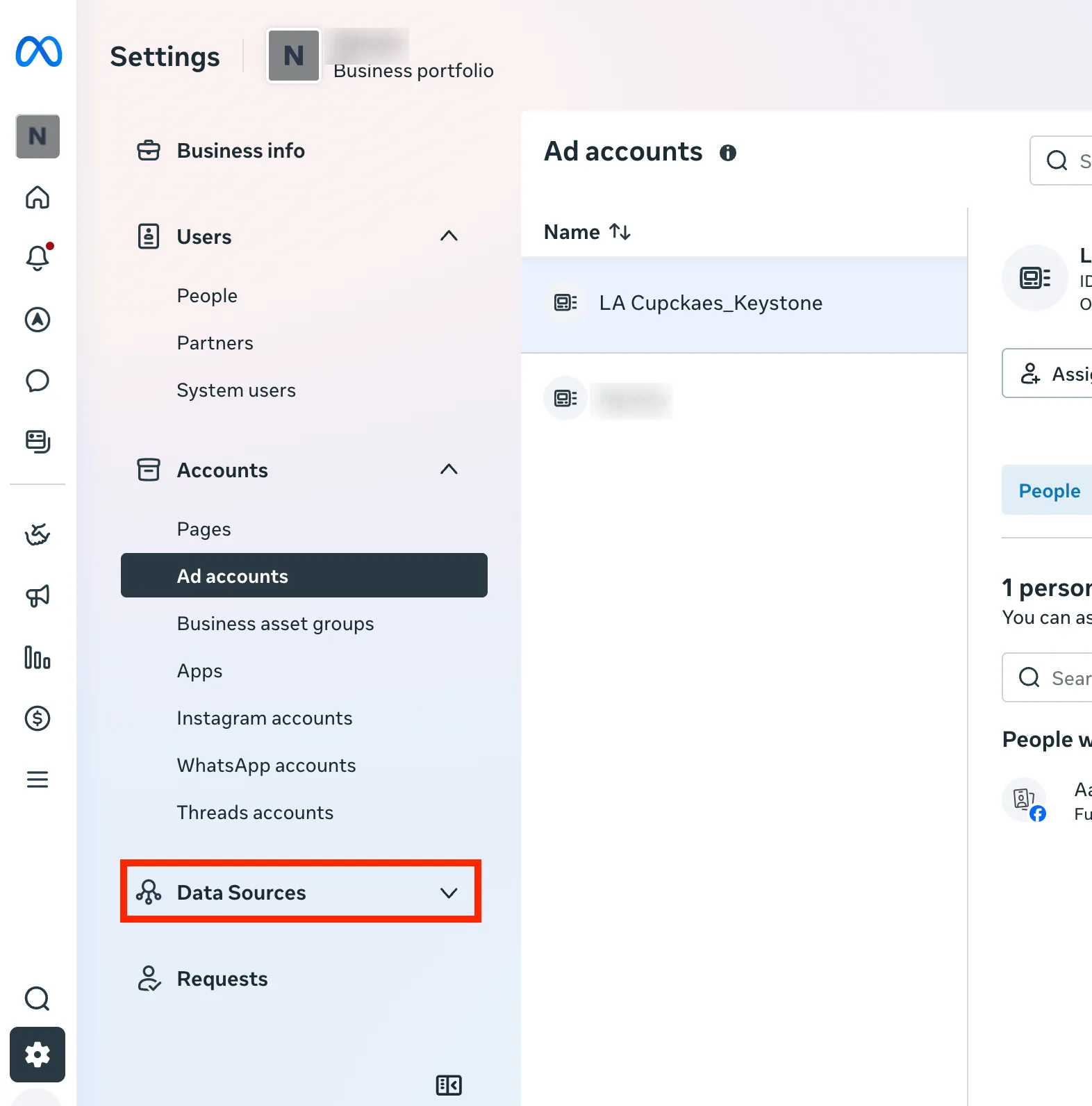
Step 1: Data sources.
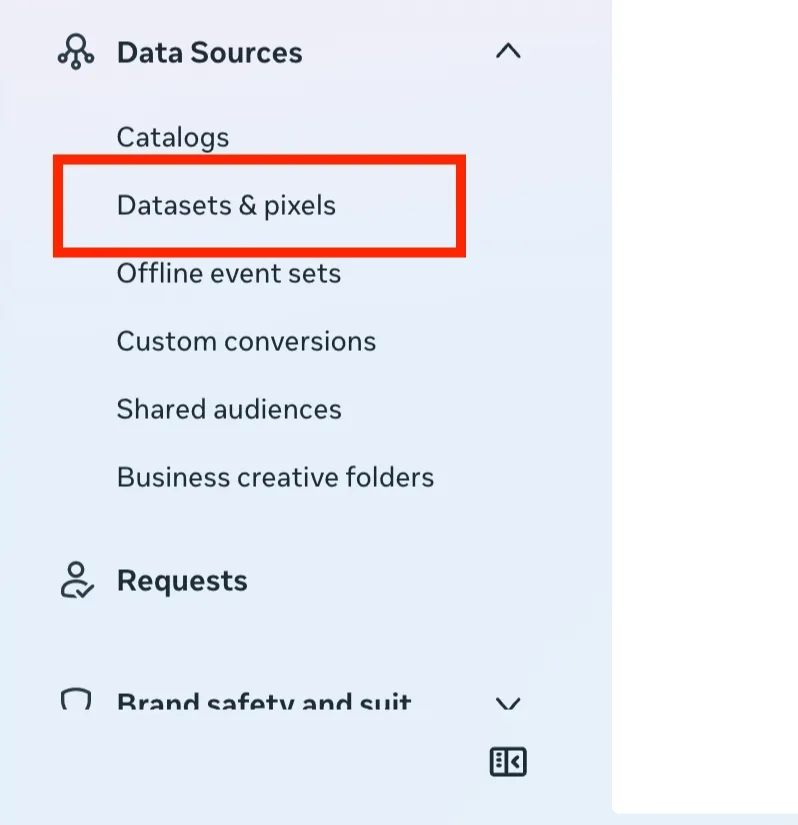
Step 1: Datasets & pixels.

Step 2: Add.
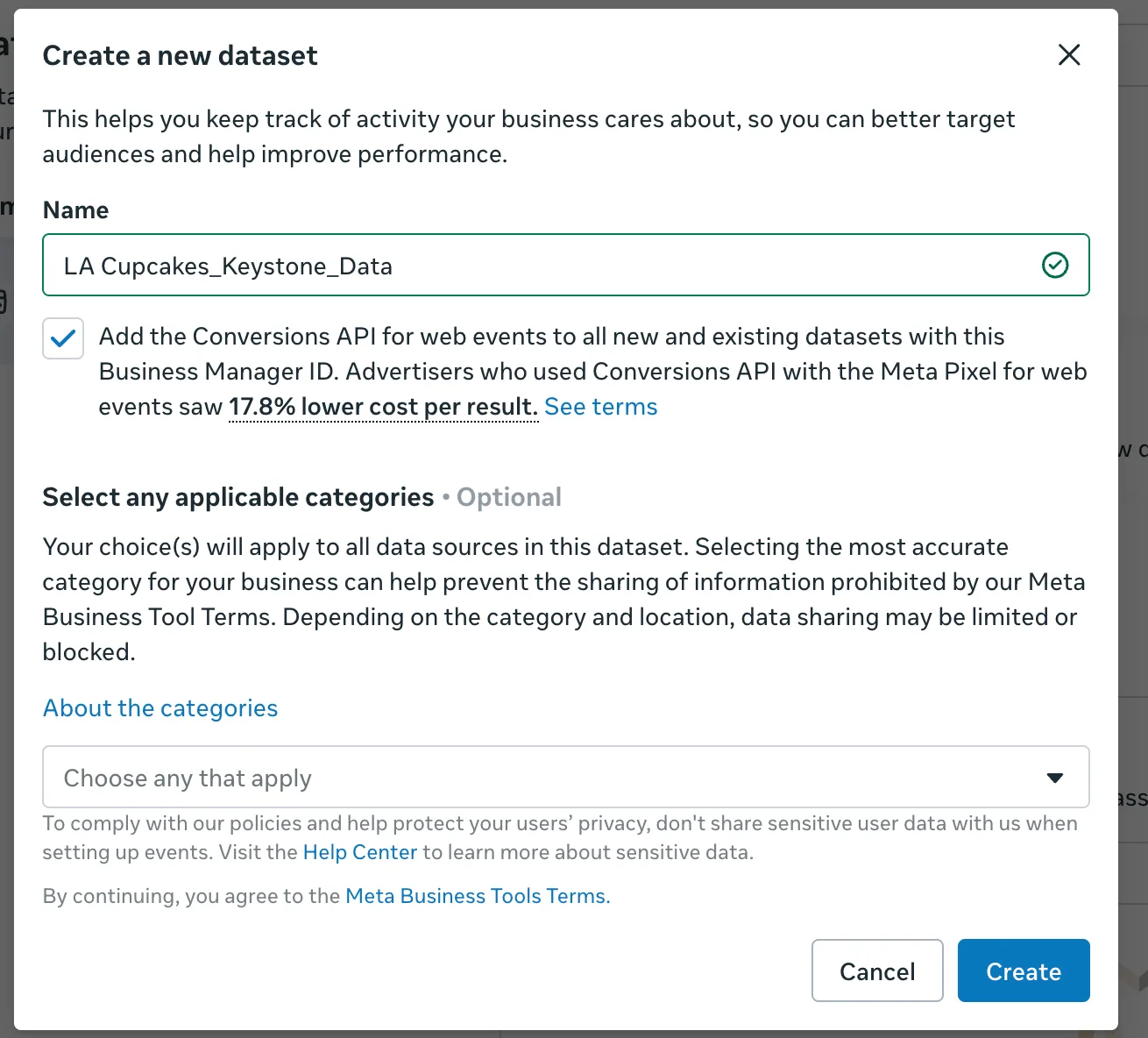
Steps 3 and 4: name and categories, then Create.
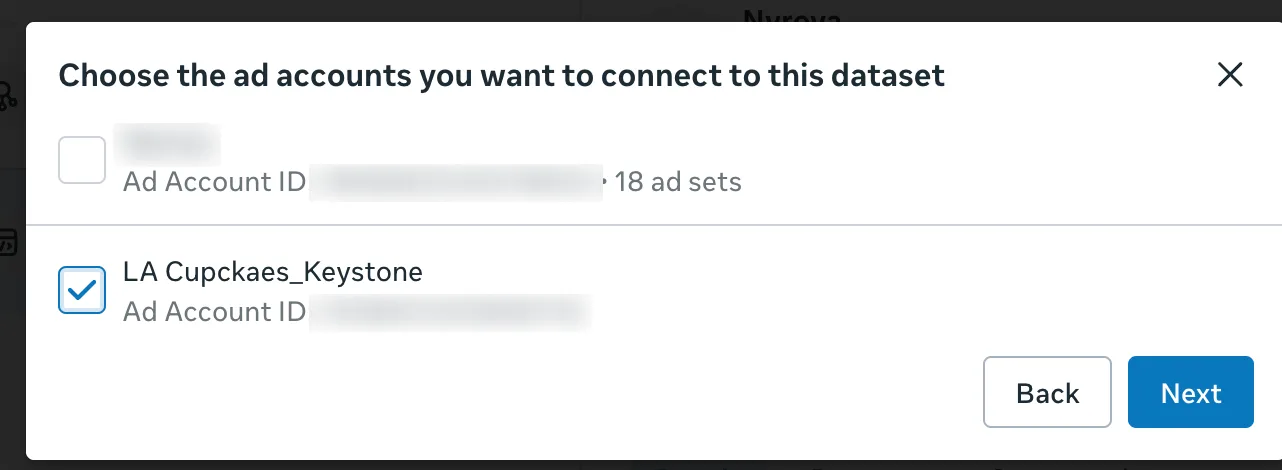
Step 5: the ad account you created.
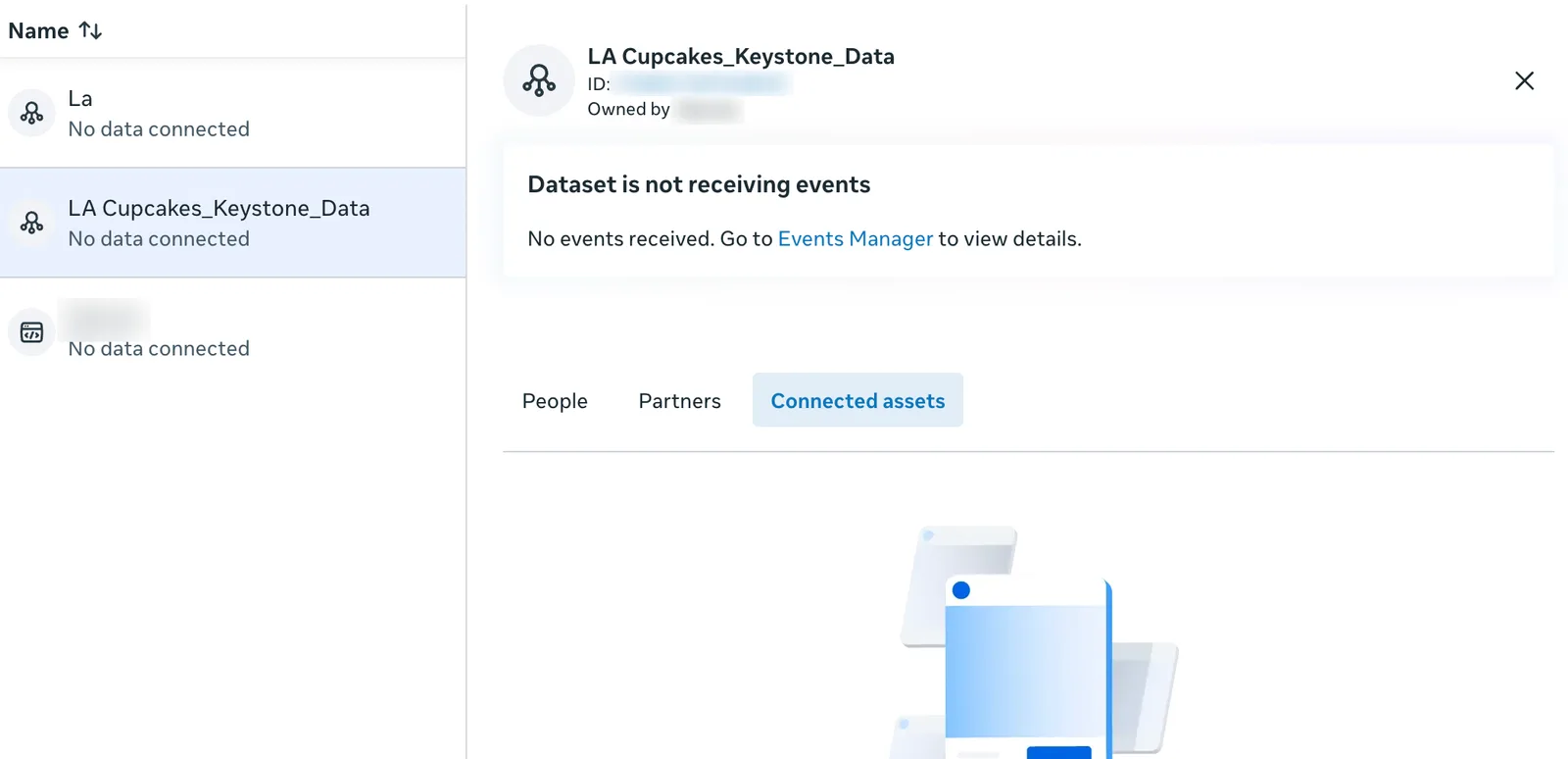
Step 6: Connected assets.
Your ad account and dataset are ready. Next: Connecting Meta Ads in the console, where you choose exactly these two.