
Content
The post editor
Title, slug, publish date, excerpt, authors, photos, body, and status for a blog post.
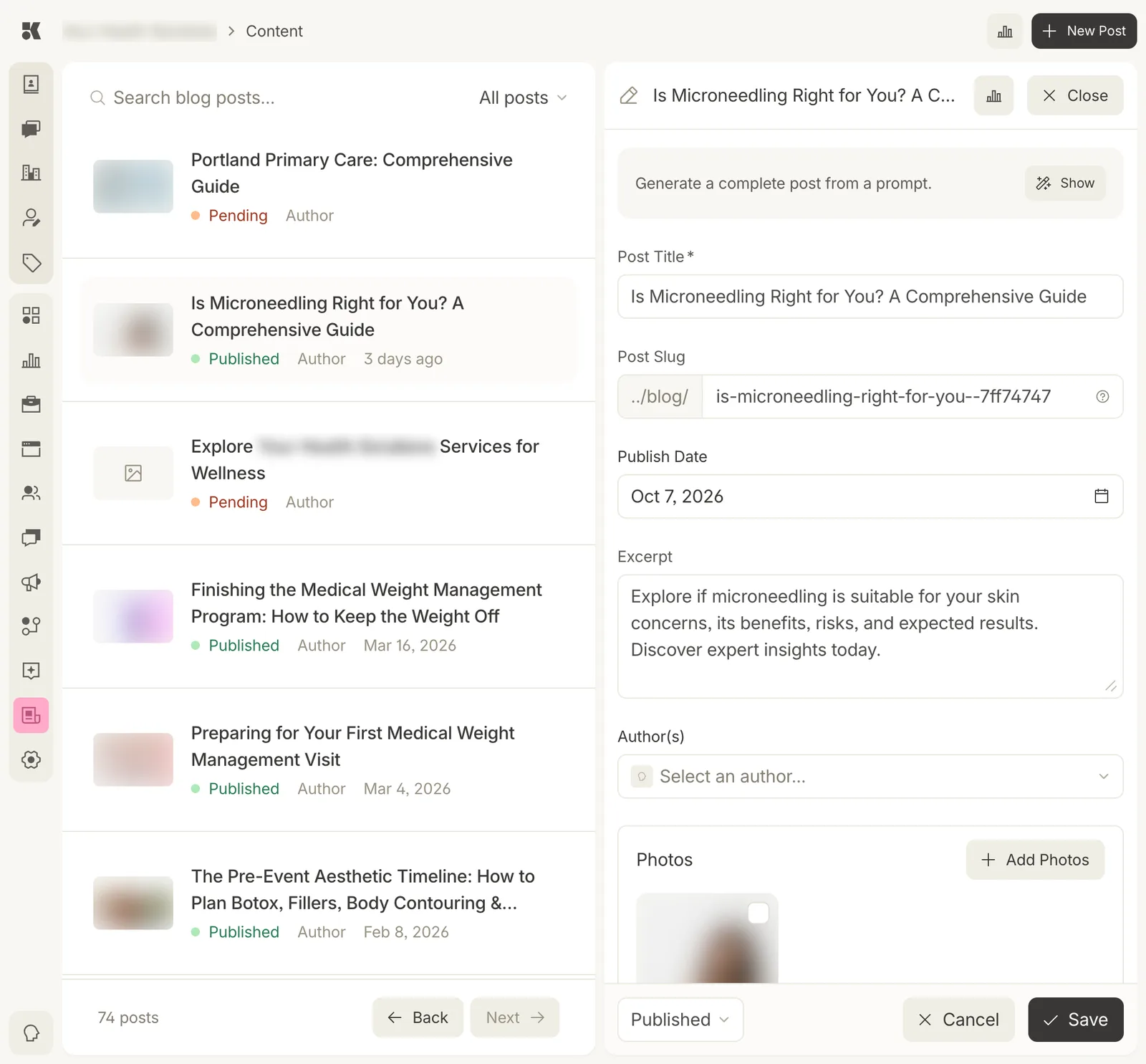
The editor's top half. The body editor follows the photos.
Fields
| Field | Notes |
|---|---|
| Generate a complete post from a prompt | Describe the post and the agent writes all fields. Show reveals the prompt box. |
| Post Title | Required. Also the page title and the headline in search. |
| Post Slug | The URL after /blog/. Set from the title; change it before publishing, not after. |
| Publish Date | When it goes live, or went live. Future dates queue the post. |
| Excerpt | Two sentences for the blog index and the meta description. |
| Author(s) | Chosen from Team. |
| Photos | From the Media Library. The first is the hero. |
| Body | Rich text with headings, lists, links, and images. |
Status and saving
The menu at the foot sets Draft, Pending, or Published. Save writes the post; a Published post deploys to the site within a few minutes and appears in Website history as a content commit.
Performance
The chart icon beside the title opens Content analytics for this post.