
Domain access
Squarespace
Invite Keystone as an Administrator contributor on your Squarespace site.
Squarespace manages domains per site, and domain settings require the Administrator permission, so Keystone is invited as a contributor with that role.
- Log in to Squarespace.
- From the dashboard, click Go To Website on the site whose domain we need.
- Click Settings at the bottom of the left menu.
- In the Settings panel, click Permissions & Ownership, then Permissions & Ownership again on the next screen.
- Click Invite Contributor.
- Enter Name:
Keystoneand Email:growthpartners@keystone.app. Under Global, toggle on Administrator. Click Invite.
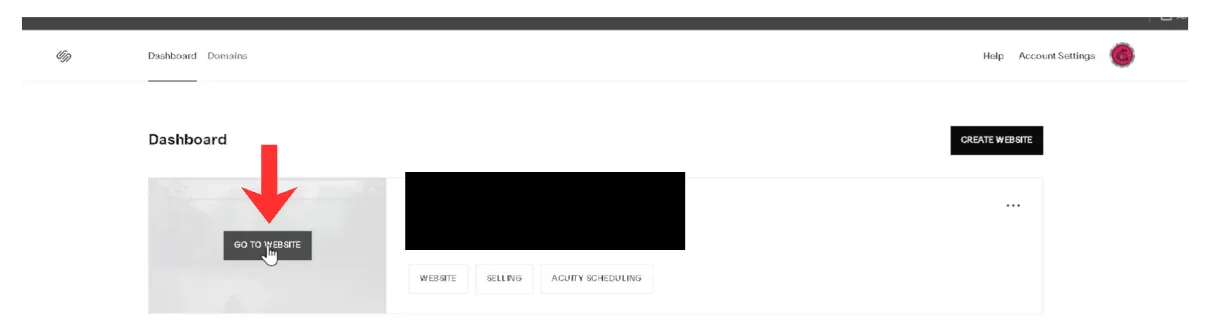
Step 2: Go To Website.
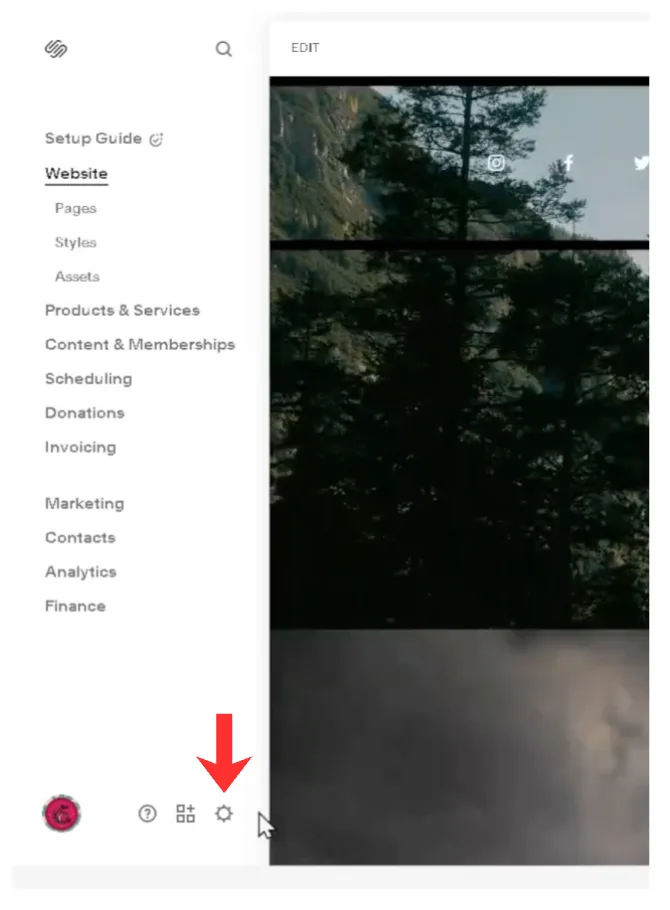
Step 3: Settings.
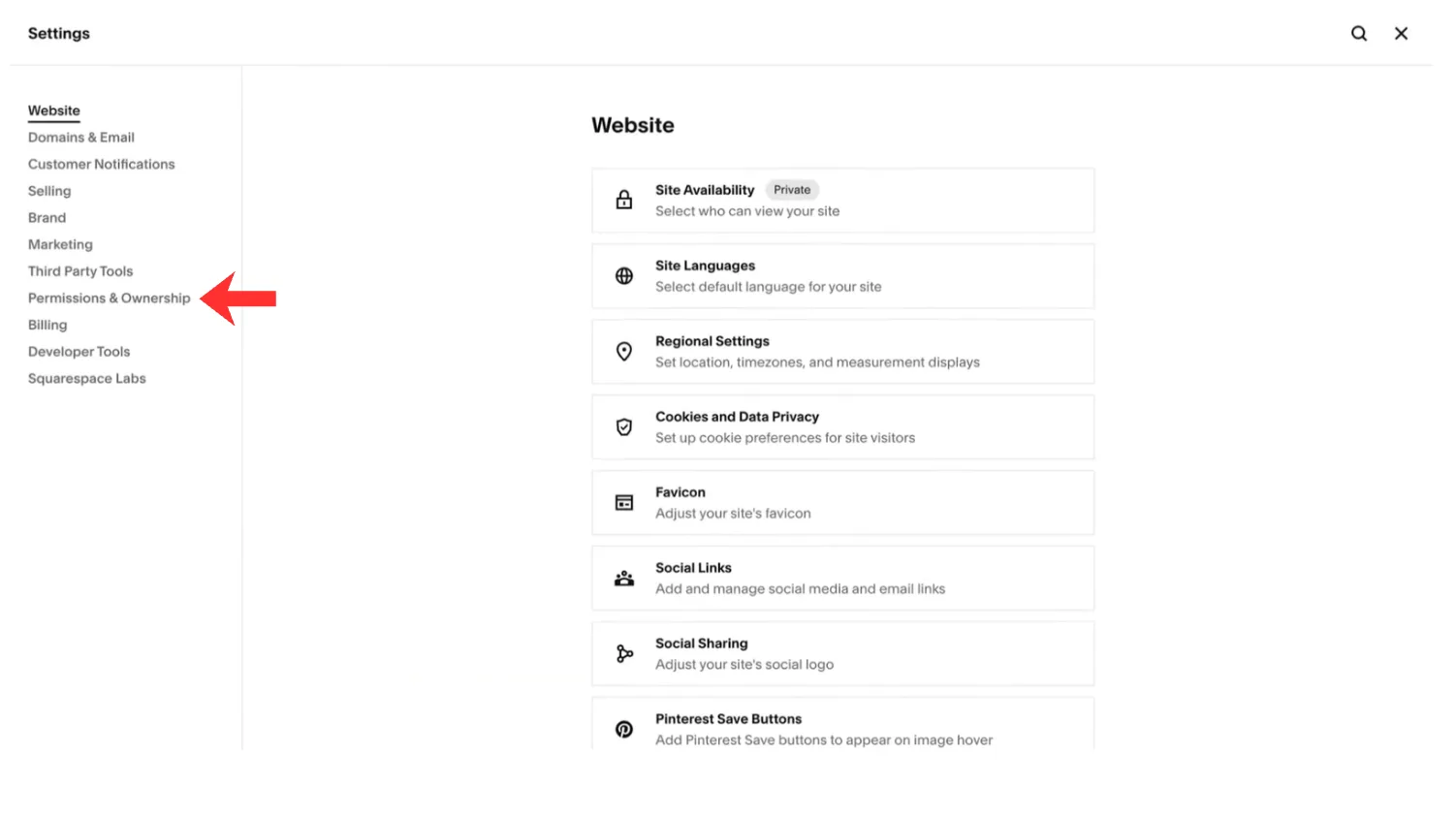
Step 4: Permissions & Ownership.
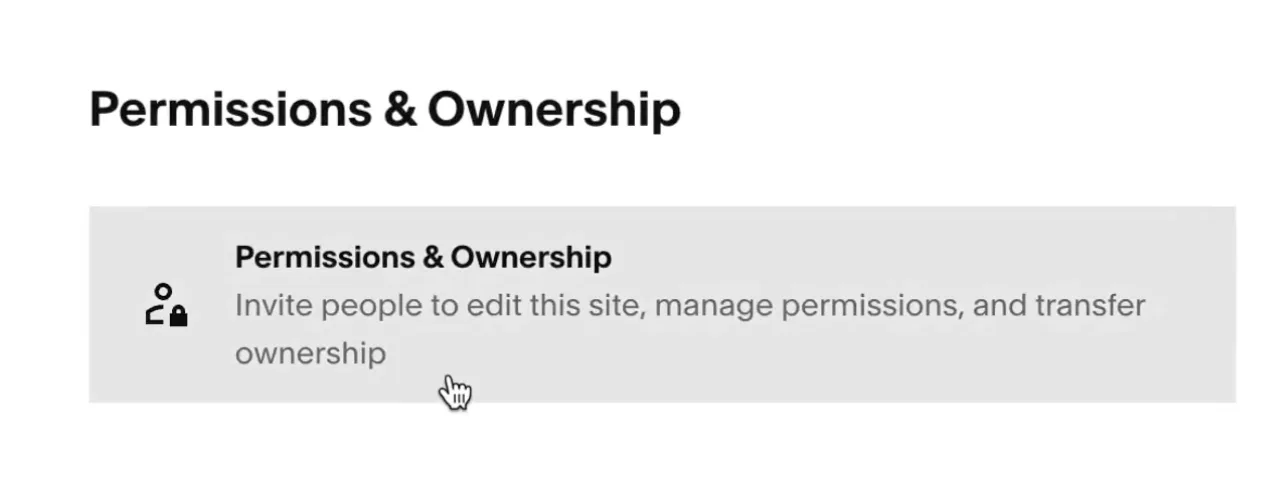
Step 4: Permissions & Ownership again.
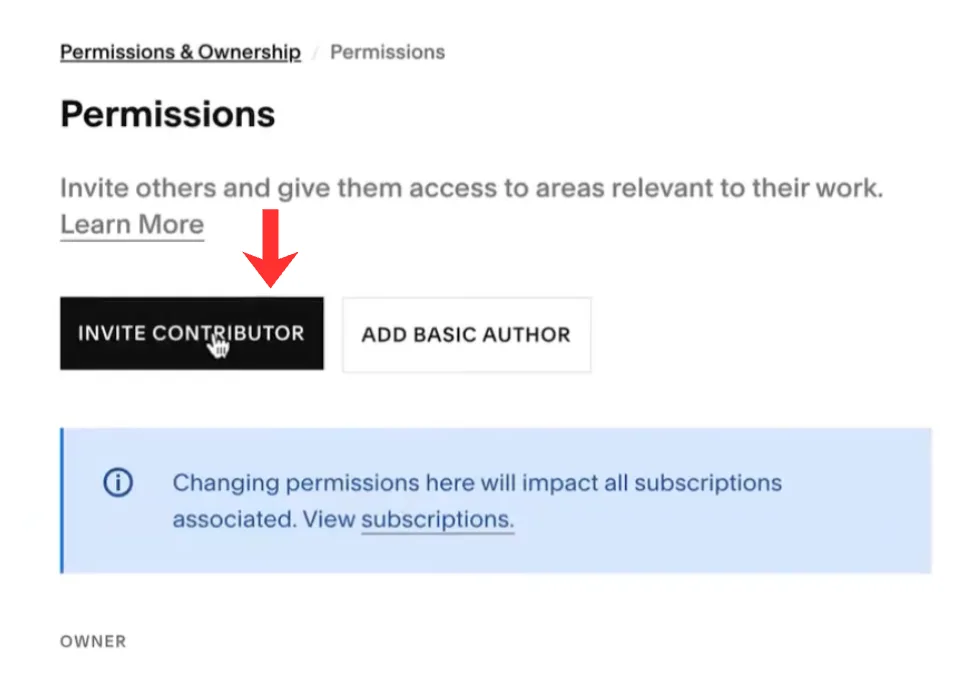
Step 5: Invite Contributor.
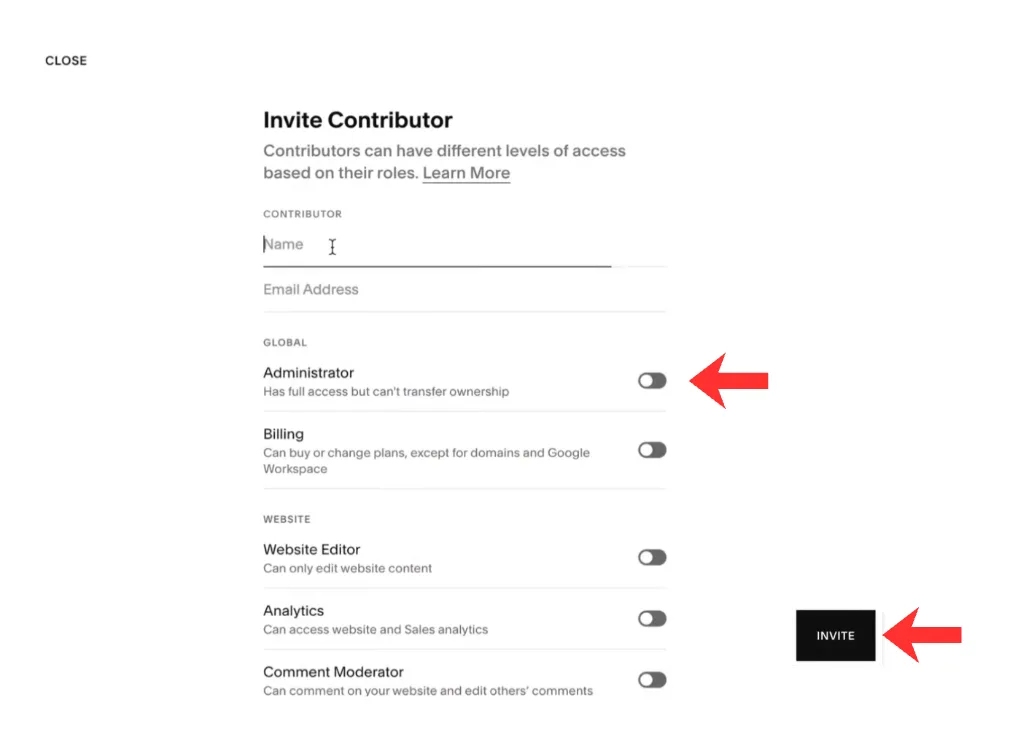
Step 6: Administrator, then Invite.
We accept the invitation and let your Growth Partner know. From there we connect the domain and confirm when the site is live; see what we change.