
Website
Domain
Connect your own domain, add the DNS records, and verify.
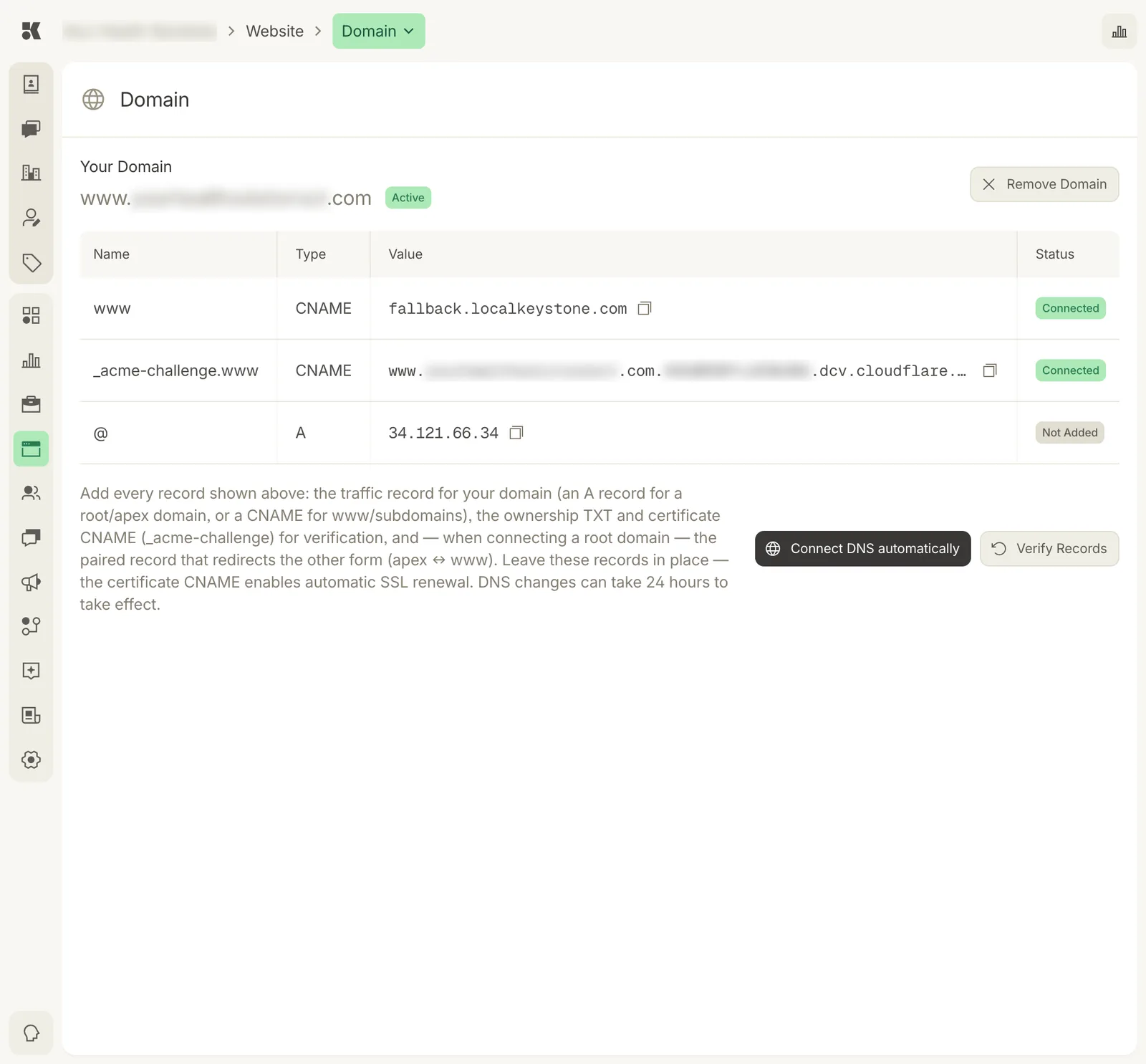
The three records every site needs, with the current state of each.
Connecting a domain
- Enter the domain you own, for example
www.example.com. - Choose Connect DNS automatically if your registrar supports it. You sign in to the registrar in a pop-up and the records are added for you.
- Otherwise add the records in the table at your registrar by hand, or give Keystone delegate access at your registrar and we add them for you.
- Click Verify Records. Each row turns green as it is found. Propagation can take up to an hour.
The records
| Host | Type | Purpose |
|---|---|---|
www | CNAME | Points your site to Keystone's hosting. |
_acme-challenge | CNAME | Lets Keystone issue and renew the HTTPS certificate. |
@ | A | Sends the bare domain (example.com) to a redirect that forwards to www. |
Copy the values from the table; they are specific to your site.
After verification
Status → Domain turns Live and the Website field in Business Details is updated. The platform renews the certificate automatically.
Removing a domain
Remove Domain disconnects it. The site stays up at its hosting URL. Remove the DNS records at your registrar if you are moving the domain elsewhere.