
Analytics
Content analytics
Search impressions and clicks for your blog, and the keywords each post is seen for.
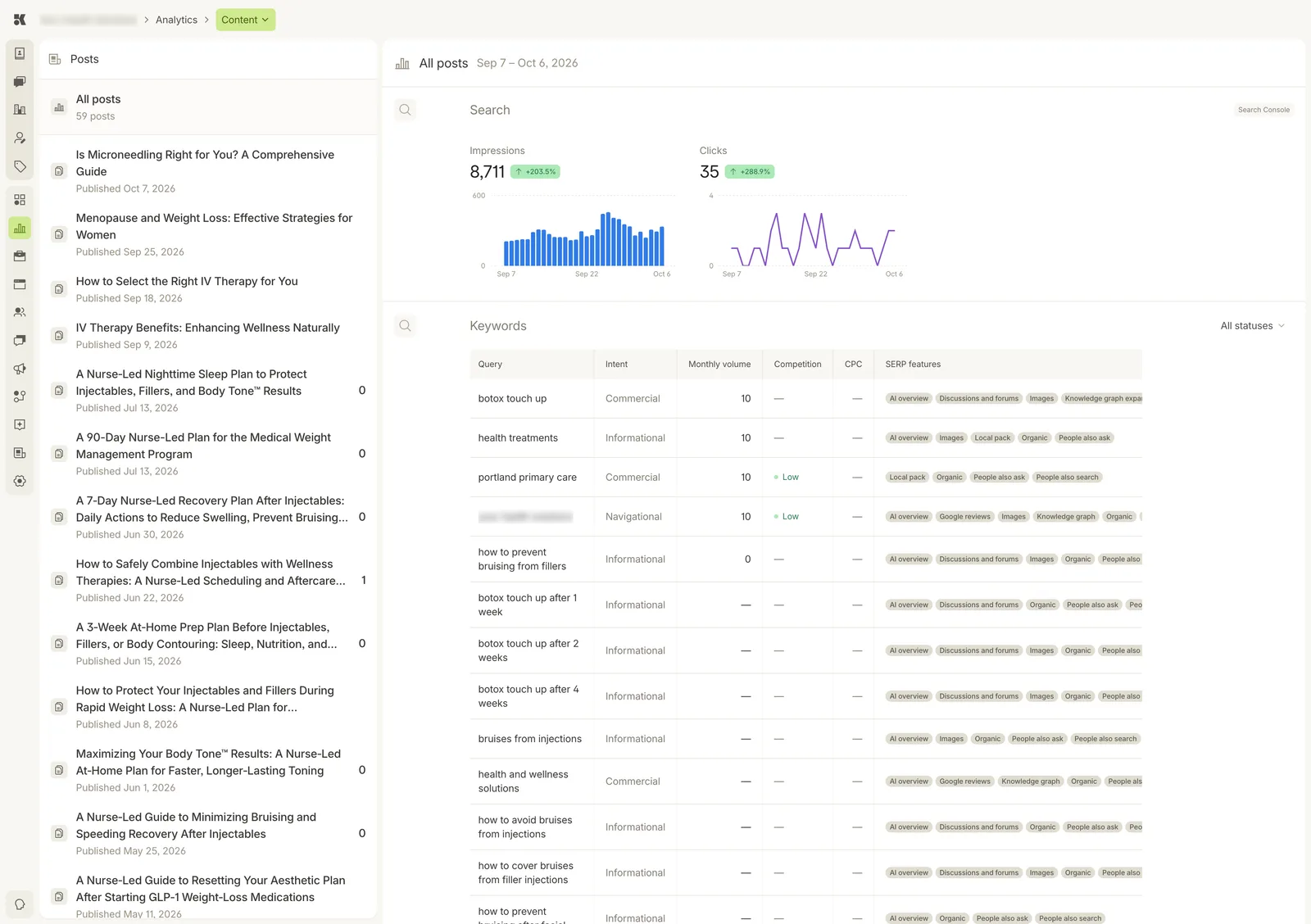
All posts selected. Pick one post on the left to see the keywords it ranks for.
Posts
Every published post with its date. The small count at the right of a post is its clicks in the period. All posts sums them.
Search
Impressions and clicks from Google Search Console over the period, with the change against the prior period.
Keywords
The queries your posts appear for, with the platform's research on each:
- Intent: Commercial, Informational, or Navigational.
- Monthly volume, Competition, CPC: the market for the query.
- SERP features: what Google shows for it (AI overview, Images, Local pack, People also ask, and so on).
The All statuses menu filters keywords by whether a post already targets them. Keywords without a post are what the Content agent writes next; see Content.