
Domain access
Hostinger
Share your domain with Keystone through Hostinger's Account Sharing as a Collaborator.
Hostinger's Account Sharing grants access to specific services. Share only the domain we need, with the Collaborator role, which cannot make purchases.
- Log in to your Hostinger account.
- Click your profile at the top right and choose Account Sharing.
- Open the Give Access tab and click Give Access.
- Enter
growthpartners@keystone.app. Under Which services would you like to share? select the relevant domain, and under Assign role choose Collaborator. - Scroll to the bottom and click Give access.
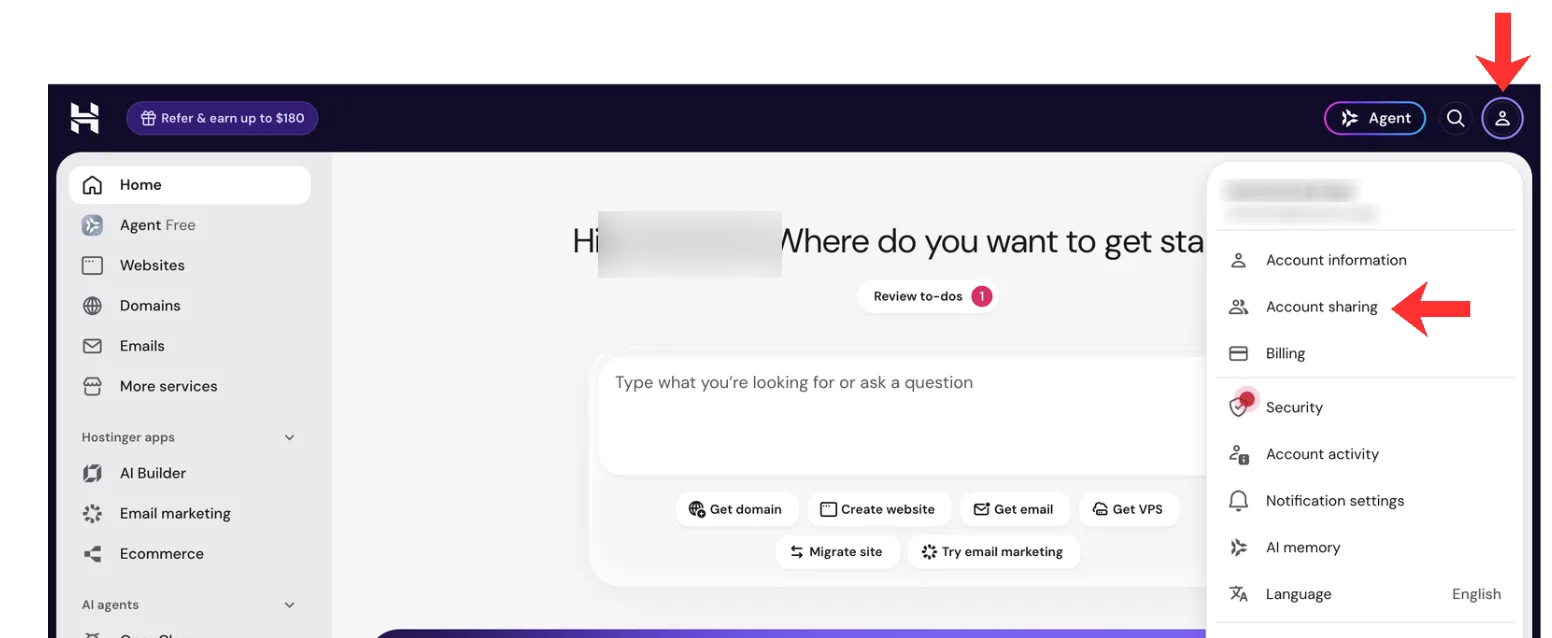
Step 2: Account Sharing.
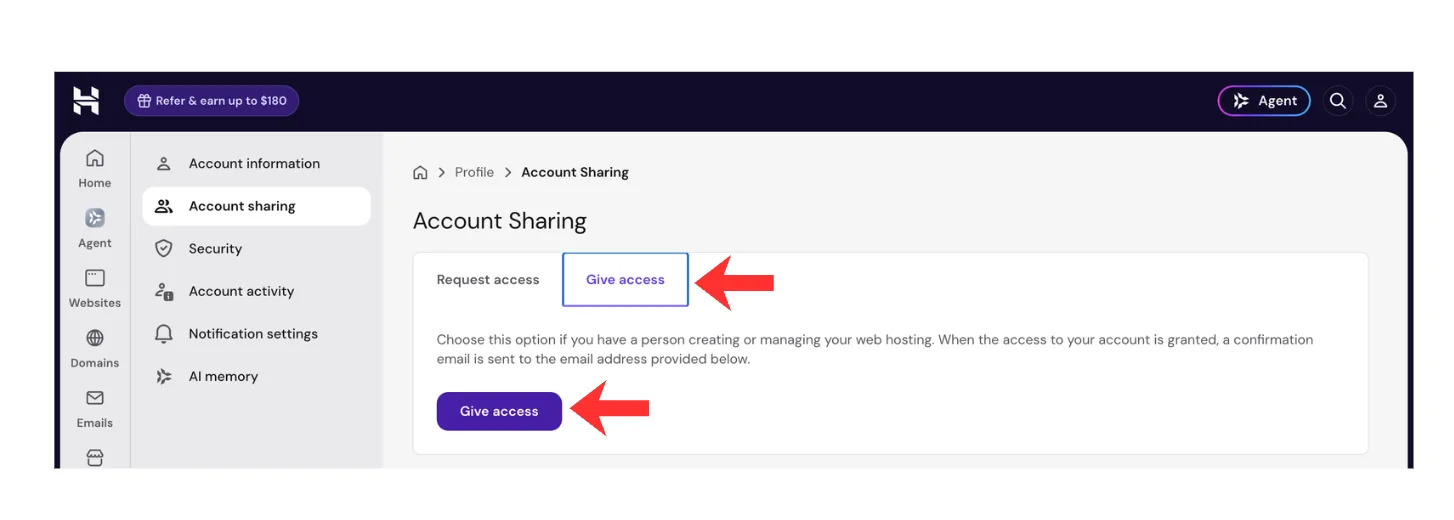
Step 3: Give Access.
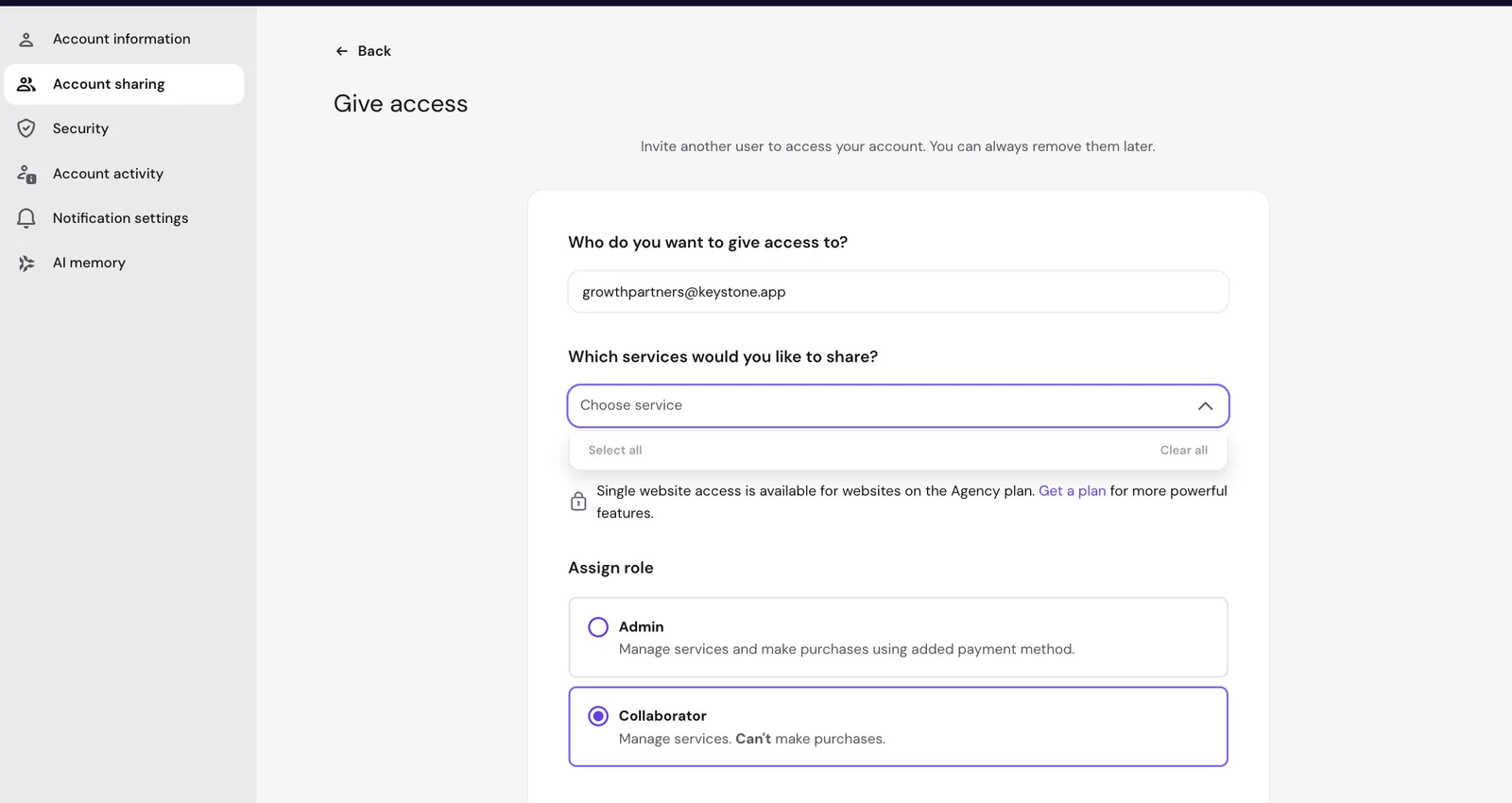
Step 4: the domain, then Collaborator.
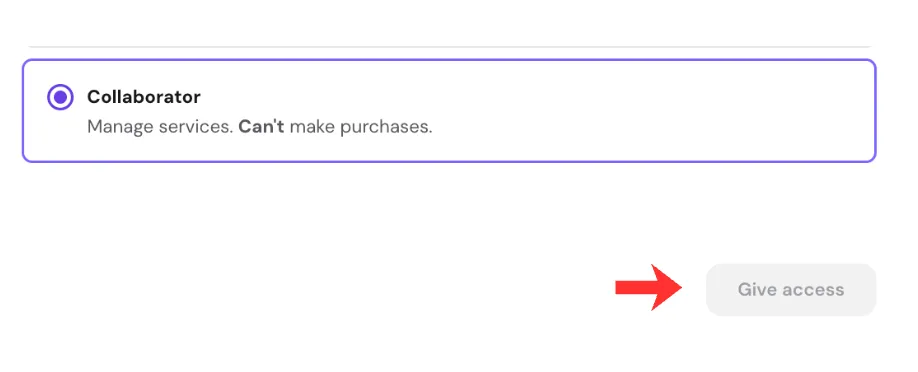
Step 5: Give access.
We accept the invitation and let your Growth Partner know. From there we connect the domain and confirm when the site is live; see what we change.