
Website
Taking your website with you
What happens to your website, domain, and content if you leave Keystone, and how the handoff works.
Your website is yours. If you decide to stop working with Keystone, we hand over the complete code of the site so you, or whoever you work with next, can host it anywhere.
What you receive
- A standalone repository containing your site: a modern Next.js (React) codebase, with your pages, images, and copy included as files rather than as live calls to Keystone.
- Everything a developer needs to run it: a readme with the commands to install, run, and build, plus an environment-variable example for anything optional (such as an analytics ID).
- Your domain, which never left your registrar. You point it at your new host once the site is deployed there.
The handed-over site no longer depends on Keystone: the chat widget, the portal pages, and the consent banner that talk to our platform are removed, as are the Keystone packages. The site still builds, deploys, and renders exactly as it did; it just does not change when your Keystone data changes, because that connection is gone.
How the handoff works
- Create a free account at github.com if you do not already have one, and send your GitHub username to your Growth Partner.
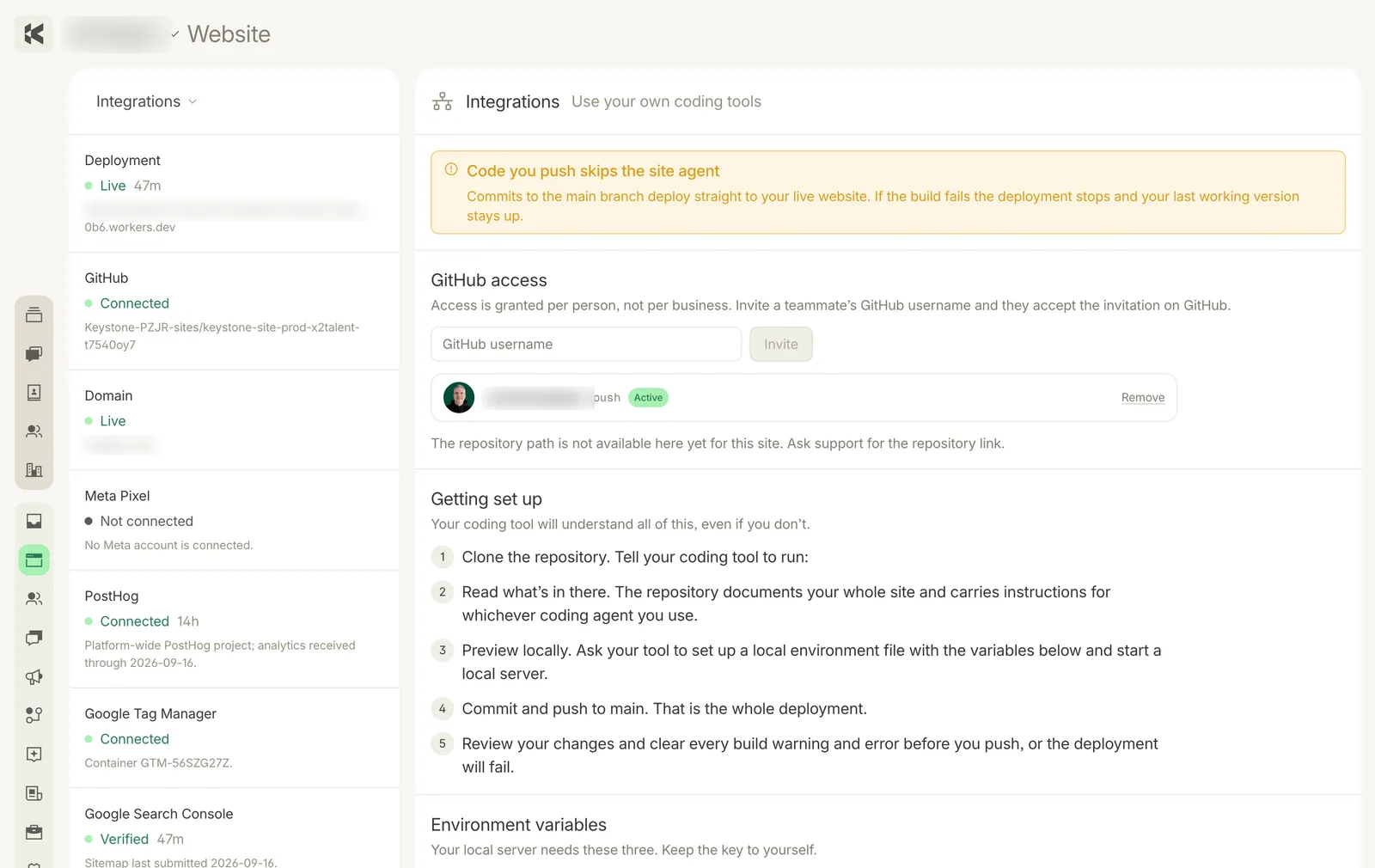
- We invite that username to the site's repository from Website → Integrations → GitHub access in the console, and you accept the invitation on GitHub.
- We prepare the standalone version of the site and let you know when it is ready to clone or download.
- You (or your new developer) deploy it to any Next.js-capable host, then update the website records at your registrar to point at it.
Step 1: a free GitHub account is all that is needed to receive the code.
What changes on our side
Once the handoff is complete your Keystone console access ends, and the agents stop running for your business. Anything you want to keep from the console (contacts, posts, analytics) should be exported before then; your Growth Partner can help with that.