
Domain access
GoDaddy
Grant Keystone delegate access to your domains at GoDaddy.
GoDaddy's Delegate Access lets another person manage your domains without seeing your billing or password. You can remove it later from the same page.
- Log in to your GoDaddy account.
- Click your name at the top right and choose Account Settings.
- In the left column, click Delegate Access.
- Under People who can access my account, click Invite to Access.
- Enter Name:
Keystoneand Email:growthpartners@keystone.app. Under access level select Domains Only, then click Invite.
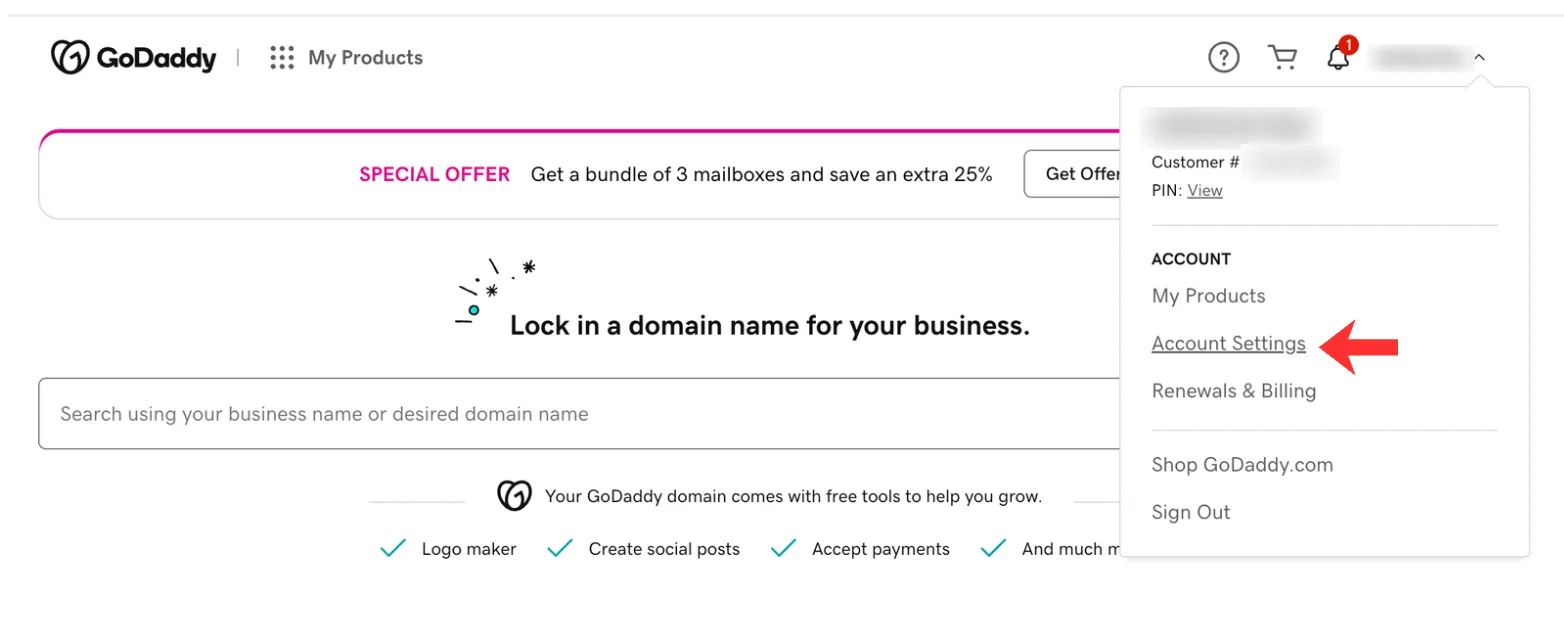
Step 2: Account Settings.
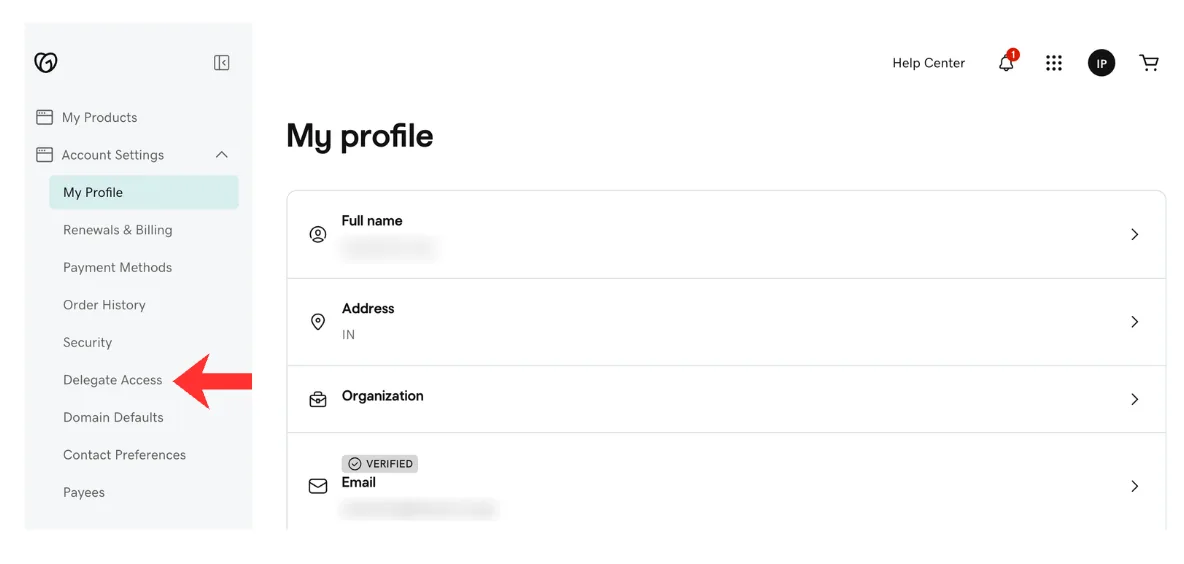
Step 3: Delegate Access.
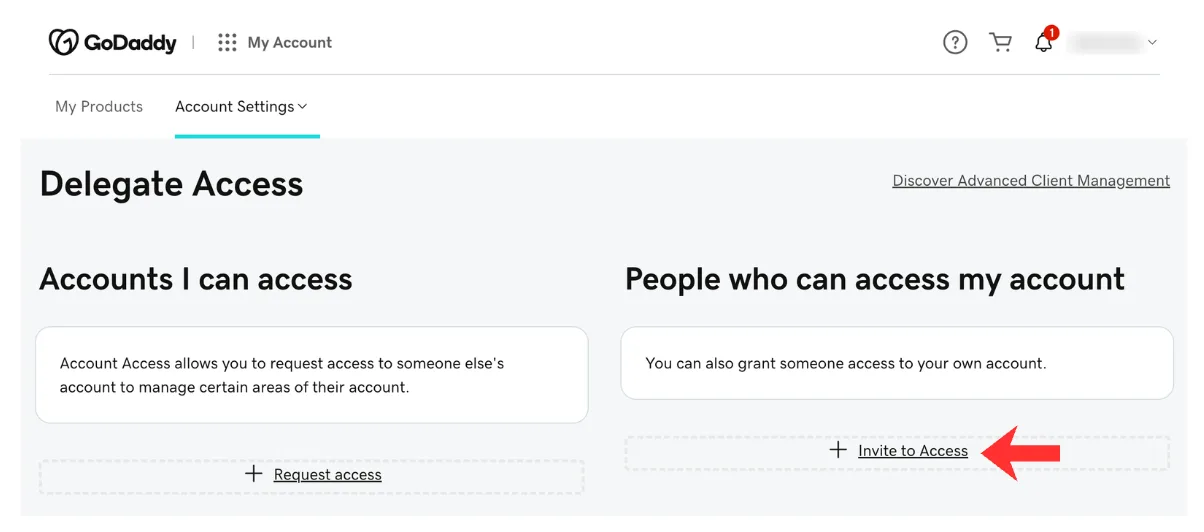
Step 4: Invite to Access.
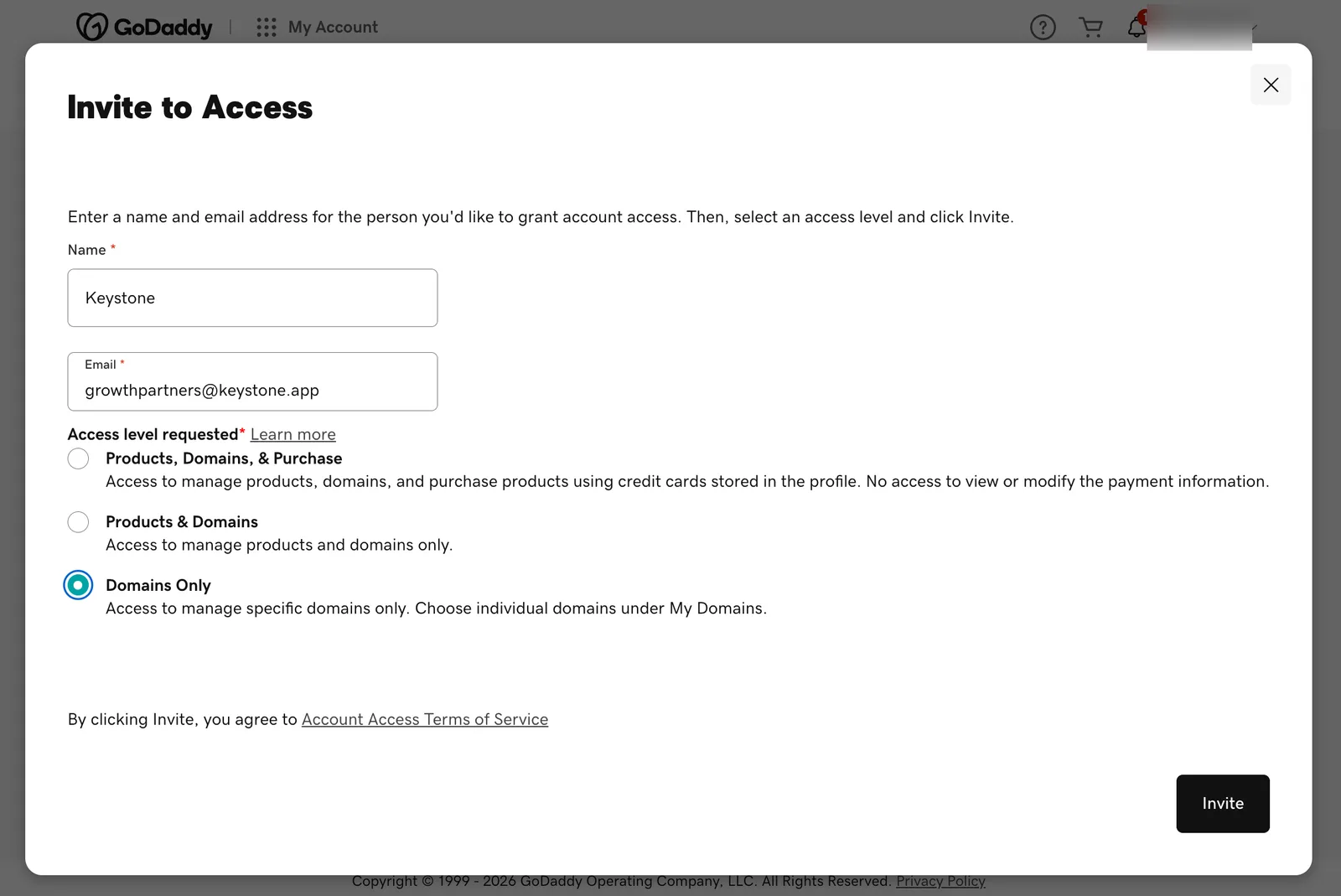
Step 5: Keystone, growthpartners@keystone.app, Domains Only.
We accept the invitation and let your Growth Partner know. From there we connect the domain and confirm when the site is live; see what we change.