
Analytics
Maps analytics
How your Google Business Profile performed: impressions, what customers did, reviews, and readiness.
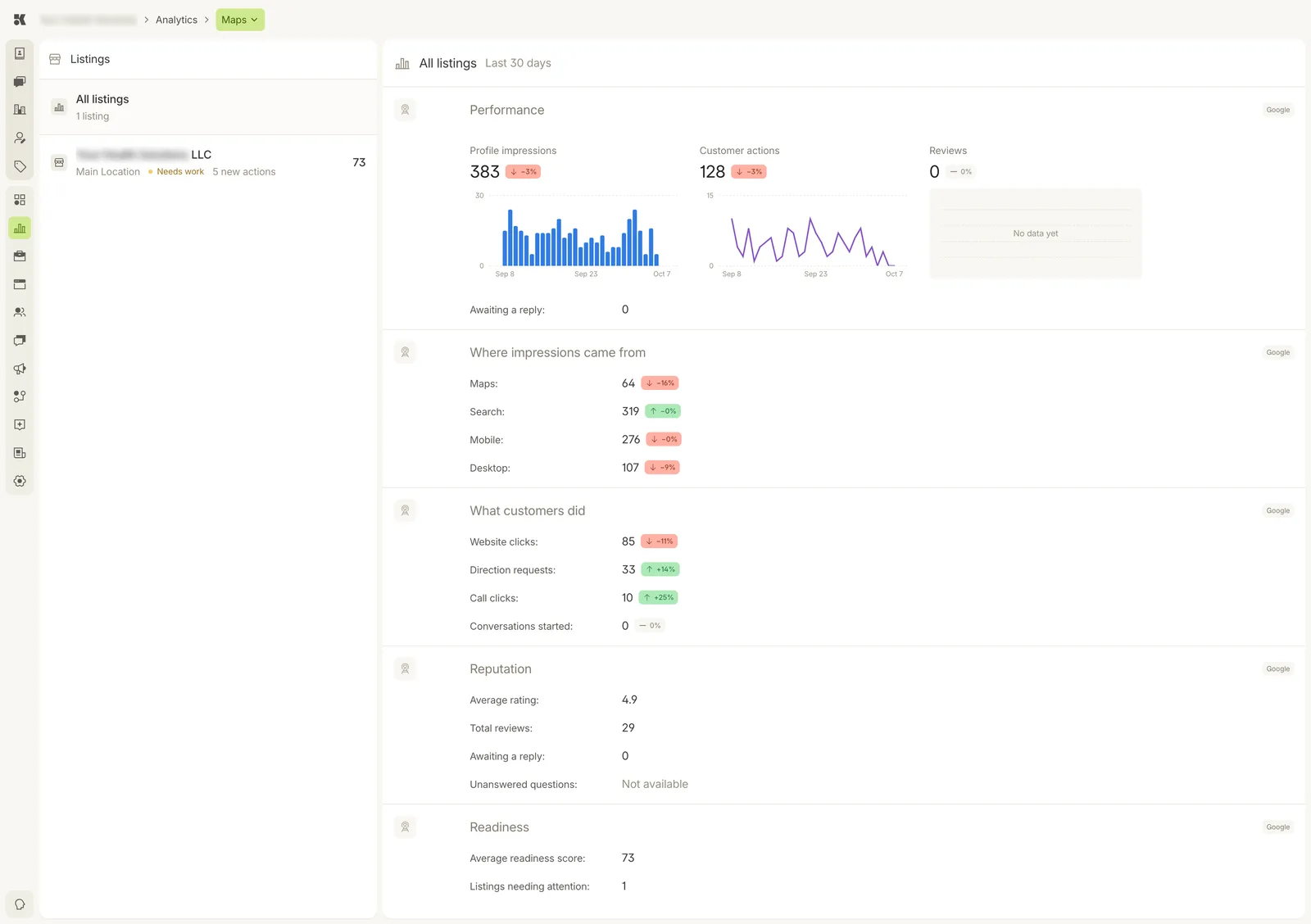
One listing selected. Every block is for Google; the figures cover the last 30 days.
Listings
The left column lists each location's listing with its readiness score, grade, and the number of new actions the platform suggests. Select one to load its figures; All listings sums them.
Performance
- Profile impressions: how often your listing appeared, on Maps and in Search.
- Customer actions: website clicks, direction requests, call clicks, and conversations started from the listing.
- Reviews: new reviews in the period, and how many are awaiting a reply.
Where impressions came from
Maps versus Search, and mobile versus desktop, each with its change.
What customers did
Website clicks, direction requests, call clicks, and conversations started, each with its change.
Reputation
Average rating, total reviews, reviews awaiting a reply, and unanswered questions.
Readiness
The platform's audit of how complete the listing is: hours, categories, photos, description, attributes. The Listings needing attention count and the per-listing actions come from here. To fix what it finds, open the listing in Listings.