
Website
Website Editor
See your live site, ask for a change in plain language, review the preview, and publish.
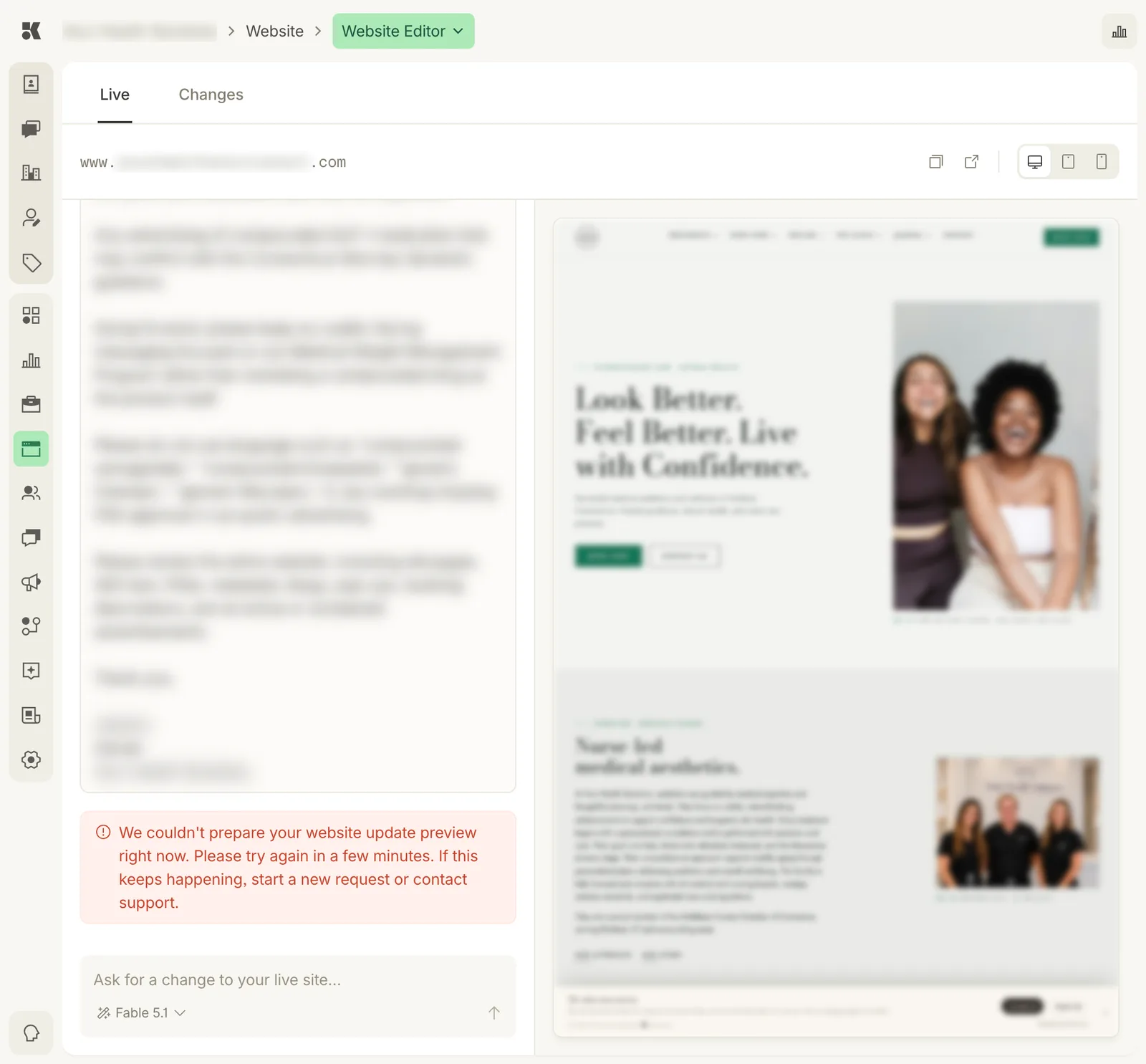
Conversation on the left, the site on the right. Device toggles switch the preview width.
Live and Changes
- Live shows the site customers see right now, at your domain.
- Changes shows the preview of pending work: what the site will look like once you approve.
The address bar shows the URL being previewed with buttons to copy it, open it in a new tab, and switch between desktop, tablet, and phone widths.
Asking for a change
Type into Ask for a change to your live site… and send. Good requests say what and where:
- "On the homepage, make the hero headline about recovery rather than confidence."
- "Add a Saturday clinic to the hours on the contact page."
- "Remove the word 'luxury' from the memberships page."
The agent replies in the conversation column, prepares a preview, and switches you to Changes when it is ready. Ask for revisions in the same thread until it is right, then approve. The result is a commit in History.
The model picker under the box chooses which model does the work; the default is right for almost everything.
Long requests
You can paste a whole brief: compliance wording to remove, a list of pages to check, a tone to keep. The agent treats it as one job and reports what it changed and what it did not.
When a preview cannot be prepared
Occasionally the preview build fails and a notice appears in the thread. Wait a few minutes and send the request again; if it repeats, start a new request or contact support. Your live site is unaffected.