
Analytics
Website analytics
Scores, traffic, search, conversions, build, and content for your site, with the audit's explanation of what to fix.
The Website section has six tabs across the top: Scores, Traffic, Search, Conversions, Build, Content.
Scores
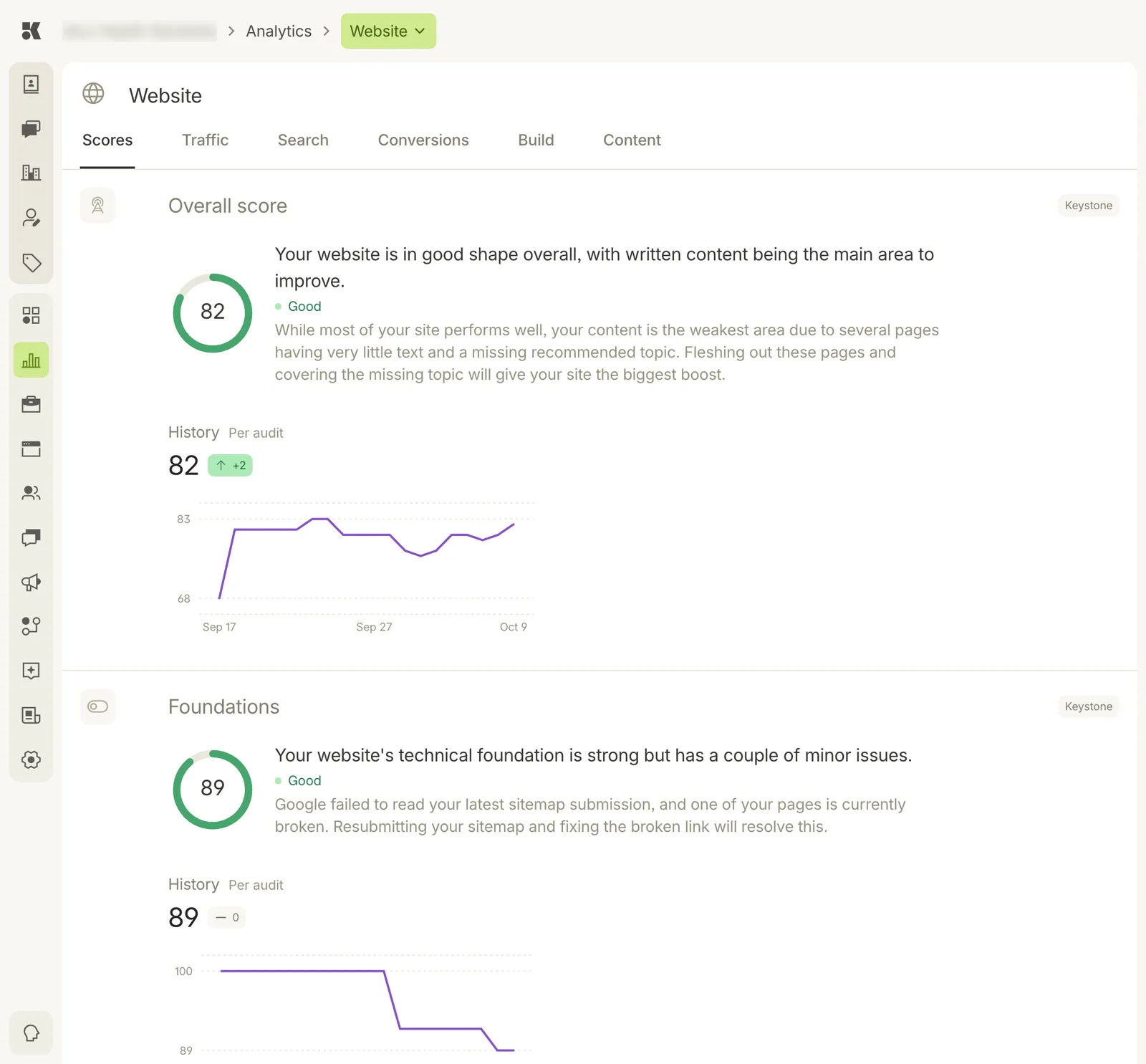
Each score has a ring, one sentence on what it means, a paragraph on what to do, and a history per audit.
The Overall score rolls up several audits. Each audit below it (Foundations, and others as you scroll) has its own ring, a plain-language reading, and a History chart with one point per audit run, so you can see whether a change helped.
The right-hand Keystone pill marks a score the platform computes itself rather than one reported by a third party.
Traffic
Visitors and pageviews over time, which pages they landed on, and where they came from.
Search
Impressions, clicks, and the queries that brought people to your site, from Google Search Console. The platform submits your sitemap and verifies the site for you; the Status page records when it last did.
Conversions
Form submissions, chat starts, calls, and bookings attributed to the website.
Build
Technical health of the deployed site: broken links, missing metadata, slow pages. The Technical issues count on the Overview comes from here.
Content
Which pages are thin, which recommended topics are missing, and what the Content agent plans to write. Thin pages lower the Overall score; see the audit's sentence on the Scores tab.