
Contacts
Contacts
Every lead and customer on one pipeline, with the agent following up and a short list of the ones that need you.
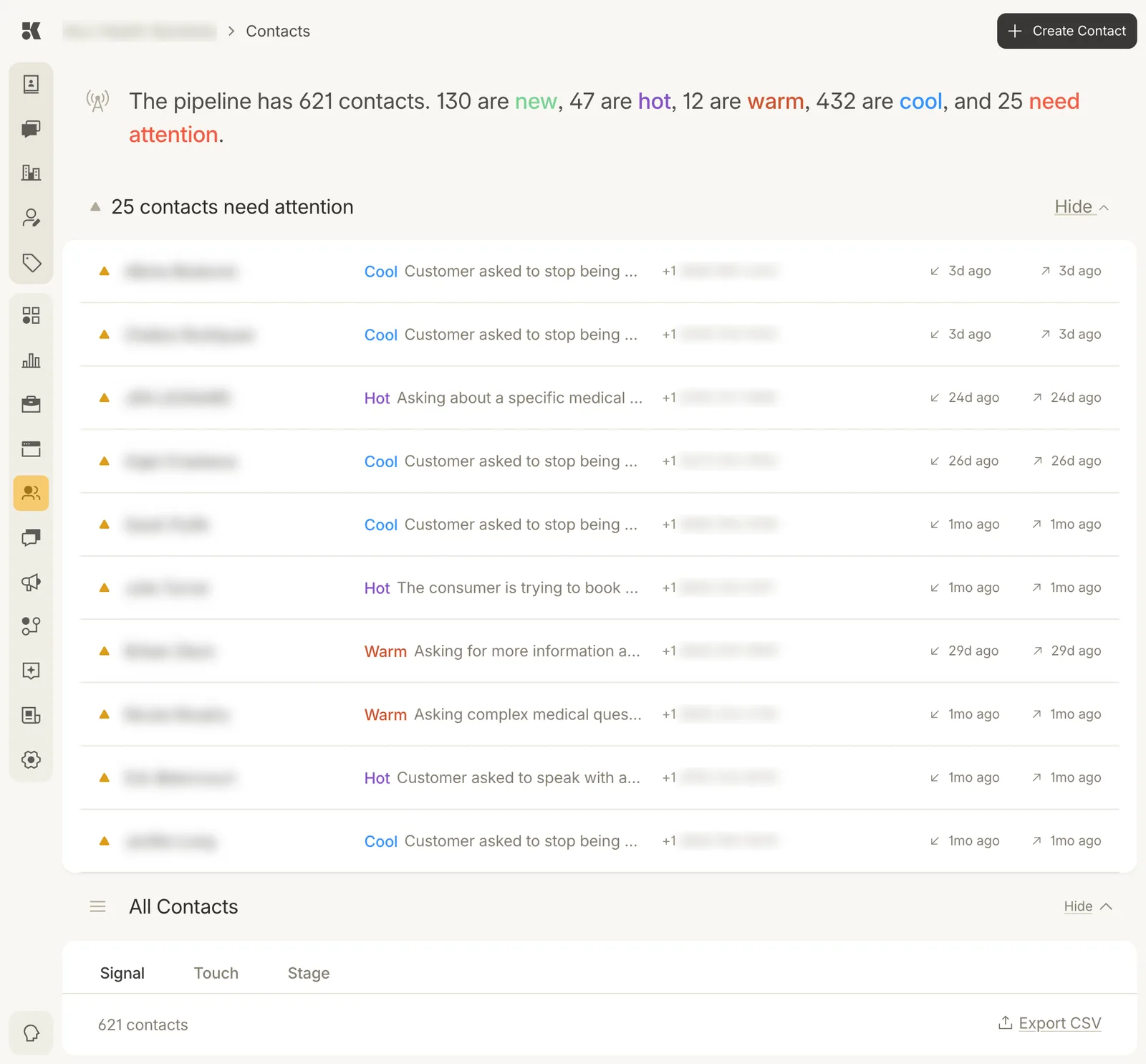
The summary sentence, the attention list, then everyone.
The pipeline sentence
The first line counts your contacts by signal: how warm each one is right now. New, hot, warm, cool. The last count, need attention, is the number the agent has handed to you.
Contacts that need attention
The table under the sentence lists them. Each row shows the contact, their signal, why the agent stopped ("Customer asked to stop being contacted", "Asking about a specific medical treatment and dosage", "The consumer is trying to book"), their phone, and when the last inbound (↙) and outbound (↗) message happened.
Click a row to open the contact and the thread. Mark handled clears it from the list.
Typical reasons:
| Reason | What to do |
|---|---|
| Customer asked to stop being contacted | Nothing; the agent already stopped. Mark handled. |
| Asking about a specific medical treatment and dosage | A clinician answers in the thread. |
| The consumer is trying to book | Book them, then reply with the time. |
| Customer asked to speak with a person | Reply yourself; the agent stands down on that thread. |
All contacts
Everyone, grouped by the tab you choose: Signal, Touch, or Stage. See Signals, touch, and stage for what the three mean. Export CSV downloads the current list; see Exporting.
Creating a contact
Create Contact at the top right adds one by hand: name, phone, email, and whether auto-contact is enabled. Most contacts arrive on their own from forms, chats, calls, and imports.