
Listings
Listings
Your Google Business Profile for each location: details, hours, reviews, and what the platform keeps in sync.
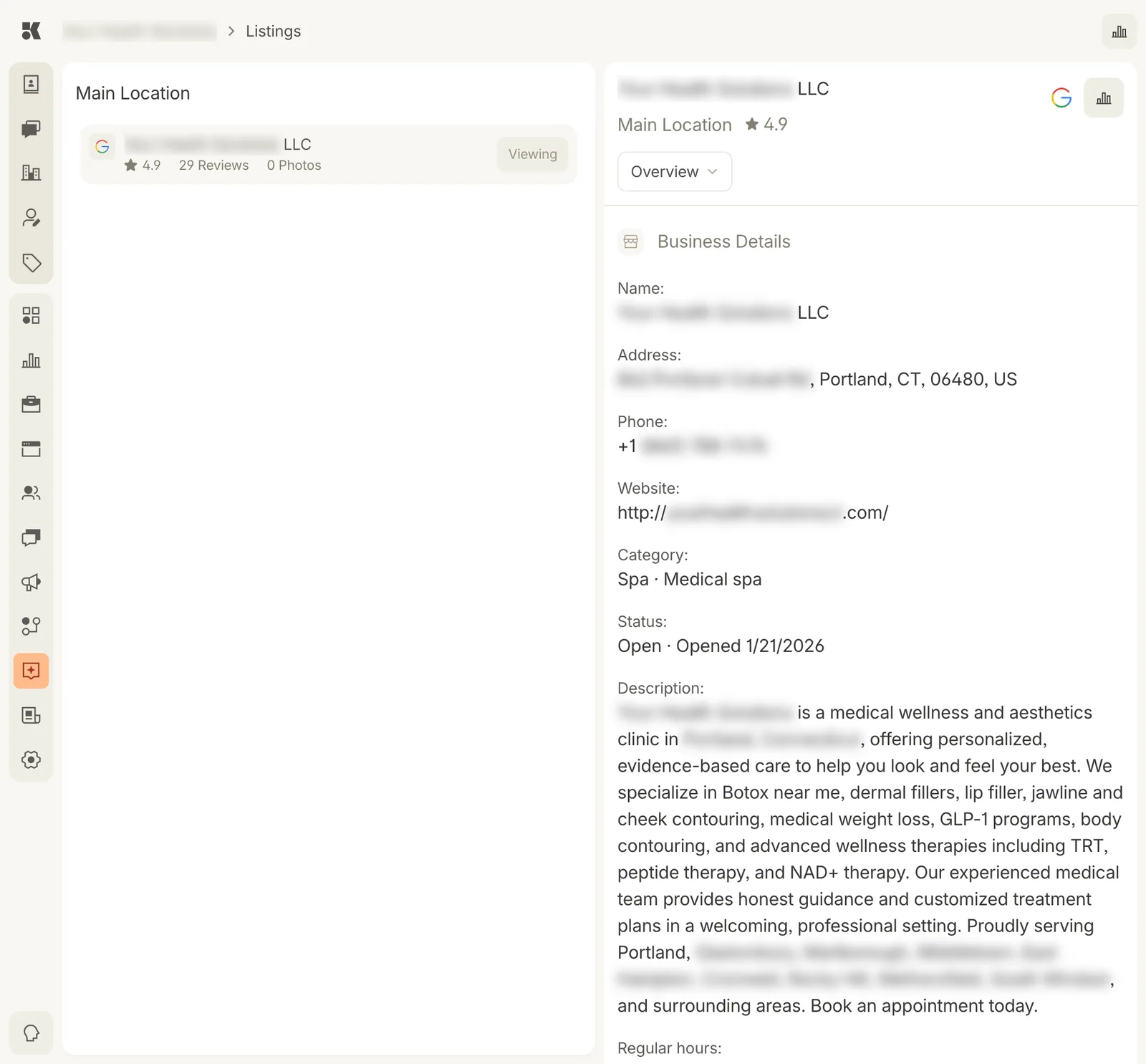
One location, one Google listing. The Overview menu switches to reviews, posts, and photos.
Listings by location
The left column groups listings under each Location. Each listing shows its platform (Google), rating, review count, and photo count. Viewing marks the one open on the right.
Overview
The listing as Google shows it: name, address, phone, website, category and secondary categories, status and opening date, description, regular hours, and attributes. The platform pushes name, address, phone, website, hours, and description from Business Info; edit them there and the listing follows.
The Overview menu switches to:
- Reviews: every review with its rating and your reply. Unanswered reviews count toward Awaiting a reply on Maps analytics. The Listings agent drafts replies for your approval.
- Posts: Google posts (updates, offers, events) published to the listing.
- Photos: photos on the listing and the option to add from the Media Library.
Readiness
The platform audits each listing for completeness and gives it a score. Suggested actions ("add a secondary category", "add 5 photos") show on Maps analytics and as Workstream items.