
Workstream
Workstream
The feed of everything the platform did for you and everything that needs you. The page to check every day.
The Workstream is the first page after sign-in. The left column is a dated feed of items; the right panel greets you and asks what you would like to work on, then shows whichever item you select.
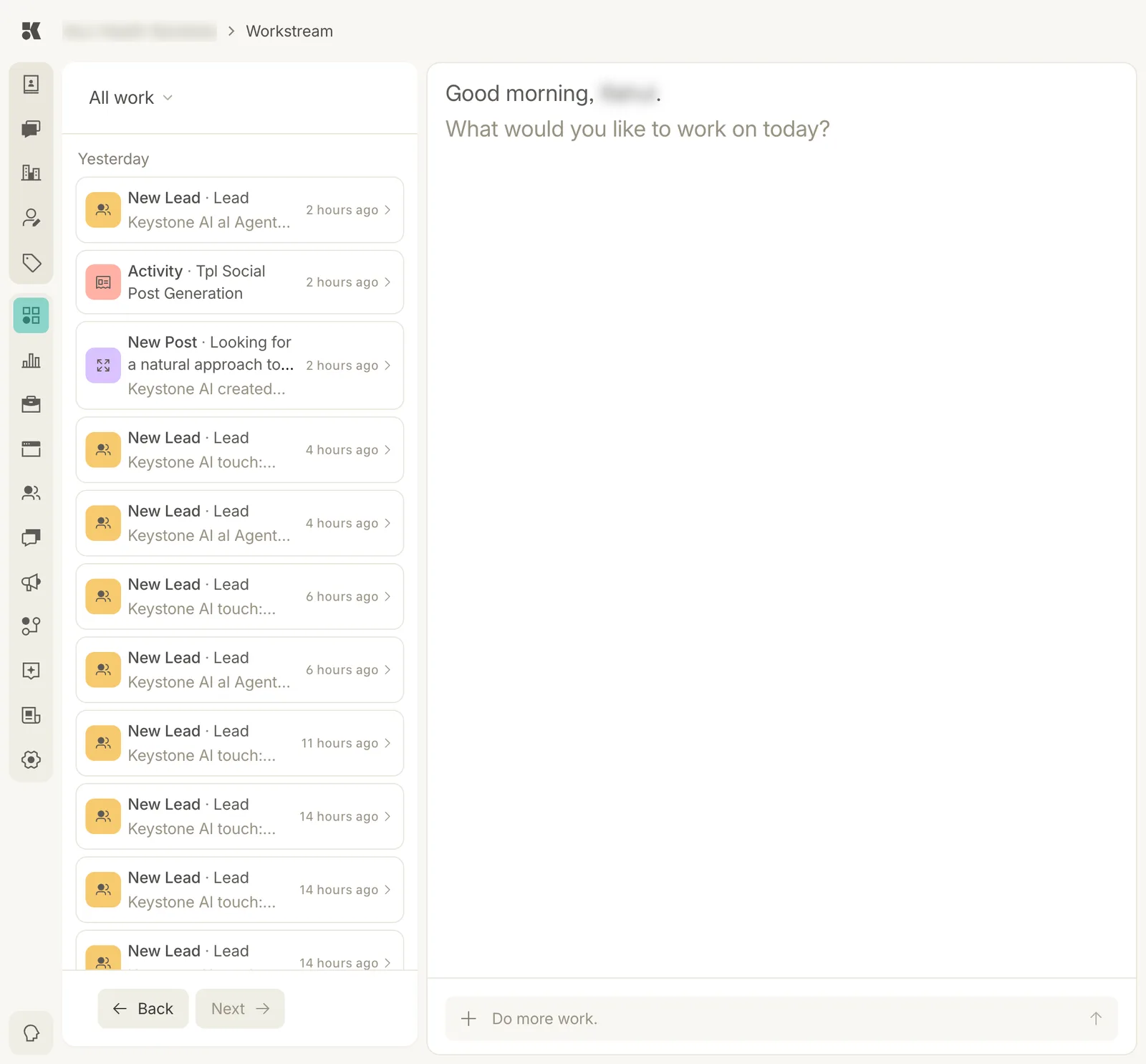
Items on the left, newest first; the panel on the right is where you work.
What an item is
Every meaningful thing an agent does becomes an item. Each card shows:
- Type: New Lead, New Post, Activity, and so on. The icon colour matches the area it came from.
- Summary: one line, such as "Keystone AI touch: Unassigned → Unresponsive" or "Keystone AI created the post".
- Age: how long ago it happened. Items are grouped by day.
Typical items:
| Item | Where it came from |
|---|---|
| New Lead · Lead, "AI Agent sent a message" | The Conversations agent followed up with a lead. |
| New Lead · Lead, "touch: Unassigned → Unresponsive" | A contact's touch status changed on the pipeline. See Signals, touch, and stage. |
| New Lead · Lead, "signal: New → Cool" | A contact's signal cooled after no reply. |
| New Post · "Looking for a natural approach…" | The Social agent drafted a post. See Social. |
| Activity · Tpl Social Post Generation | A scheduled agent run completed. |
Filtering the feed
The All work menu above the list switches between:
- All work: everything.
- Needs input: only items waiting on a decision from you. Clear this view and you are caught up.
- Group by type: the same items, grouped by their type instead of by day.
Back and Next at the foot of the list page through older items.
Asking for work
The box at the foot of the right panel, "Do more work.", takes a plain-language request: "write a post about our new Saturday hours", "update the FAQ with our cancellation policy". The right agent picks it up and the result comes back as a new item.